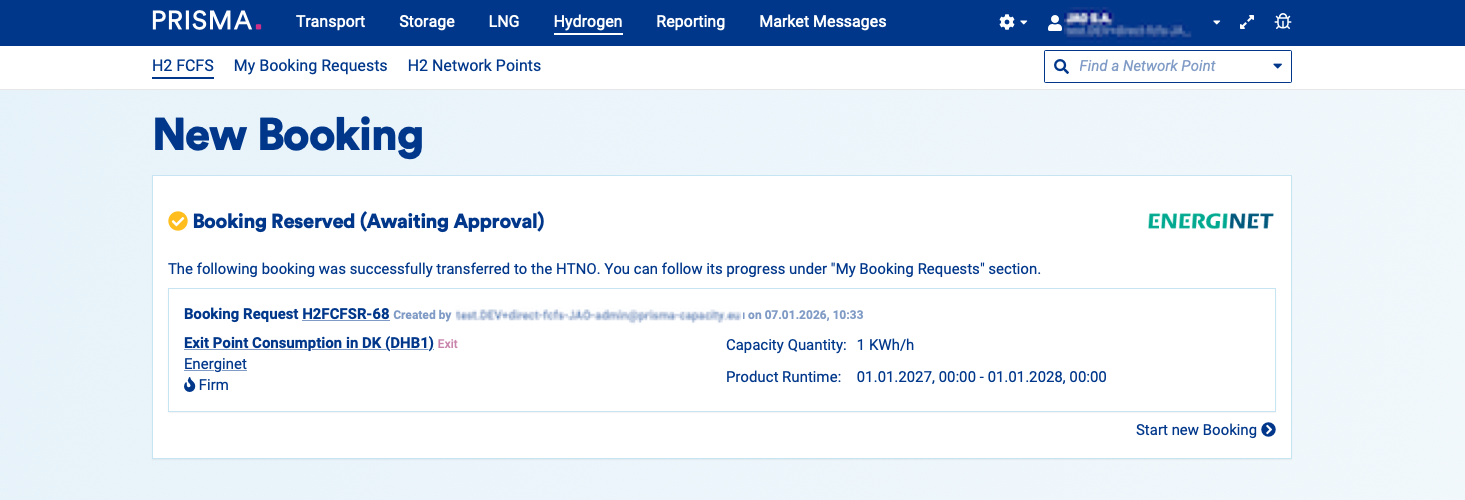
Overview
As a registered Hydrogen shipper you will be able to reserve Hydrogen FCFS capacity via PRISMA platform. If you are not registered and need help please check "How to Register Your Organisation on PRISMA".
Under "Network Points" you are able to find all available network points and their available capacity.
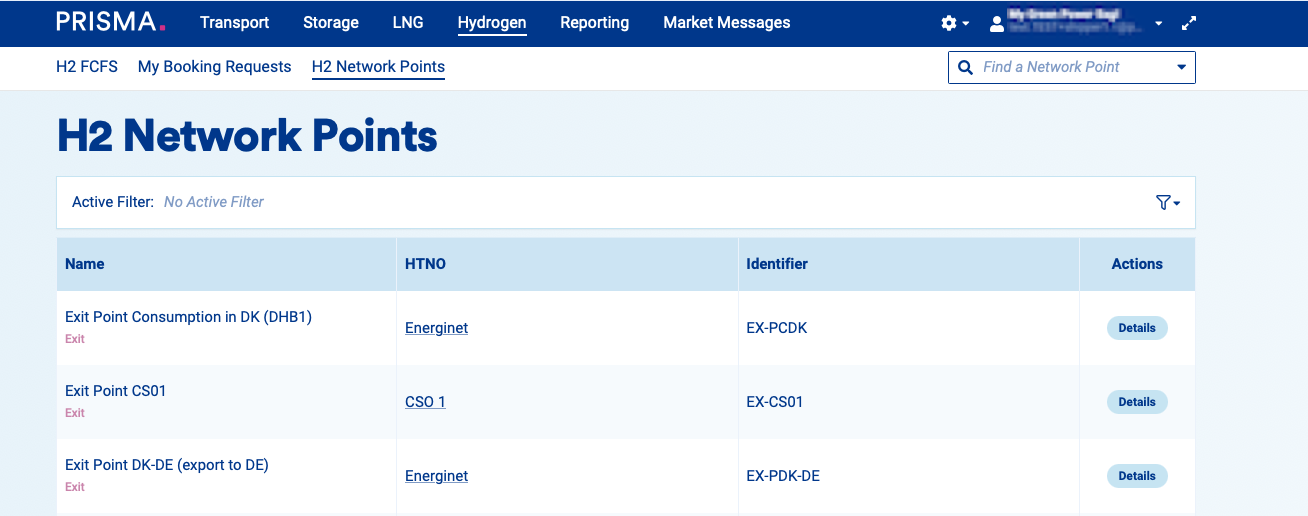
How to book:
1. Log into your account
2. Click on "Hydrogen" in the menu
Under H2 FCFS you can find the booking page.
3. Now select the desired network point
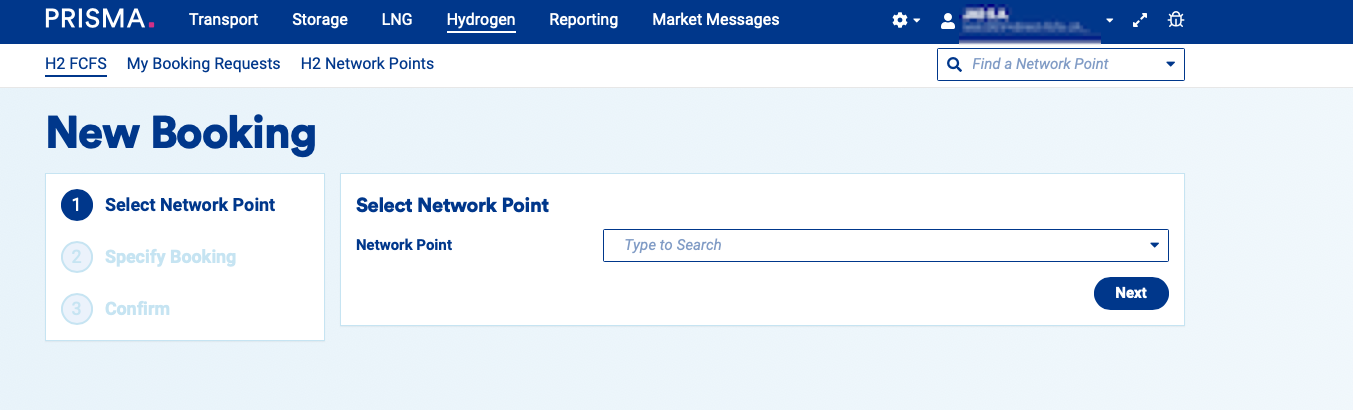
4. Click "Next"
5. Select the capacity category
6. Fill in the capacity quantity
7. Choose a runtime type and set the runtime
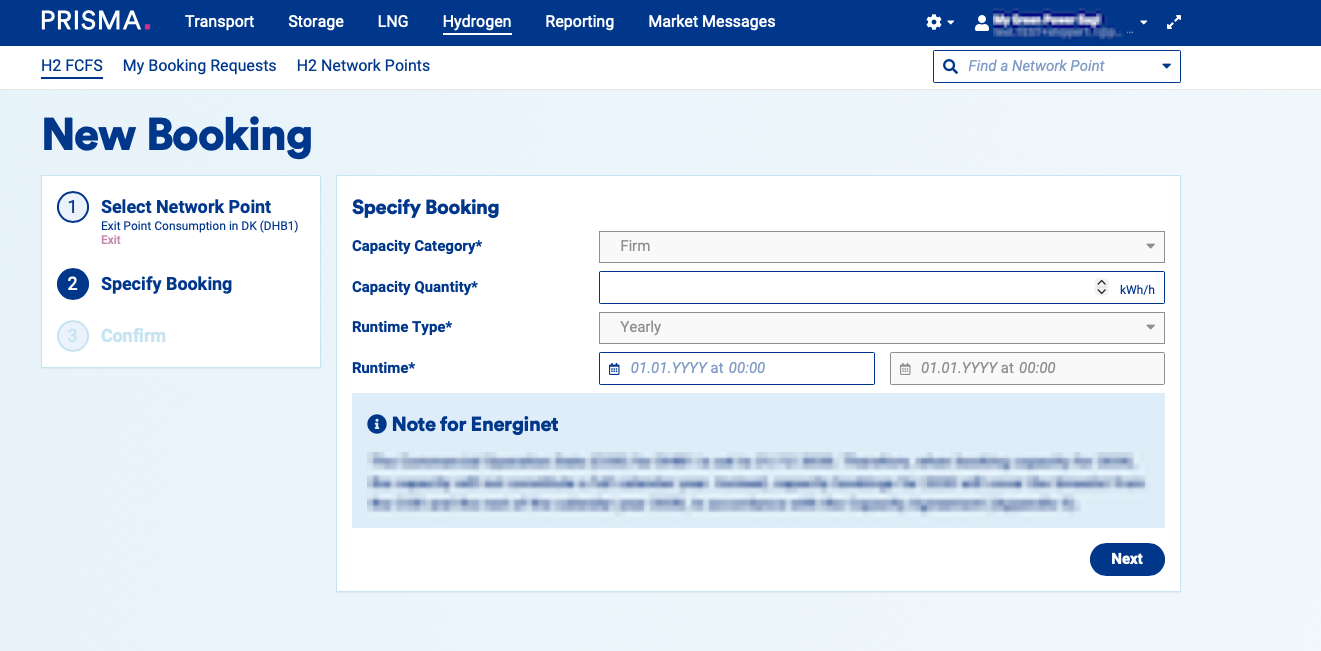
8. Click "Next"
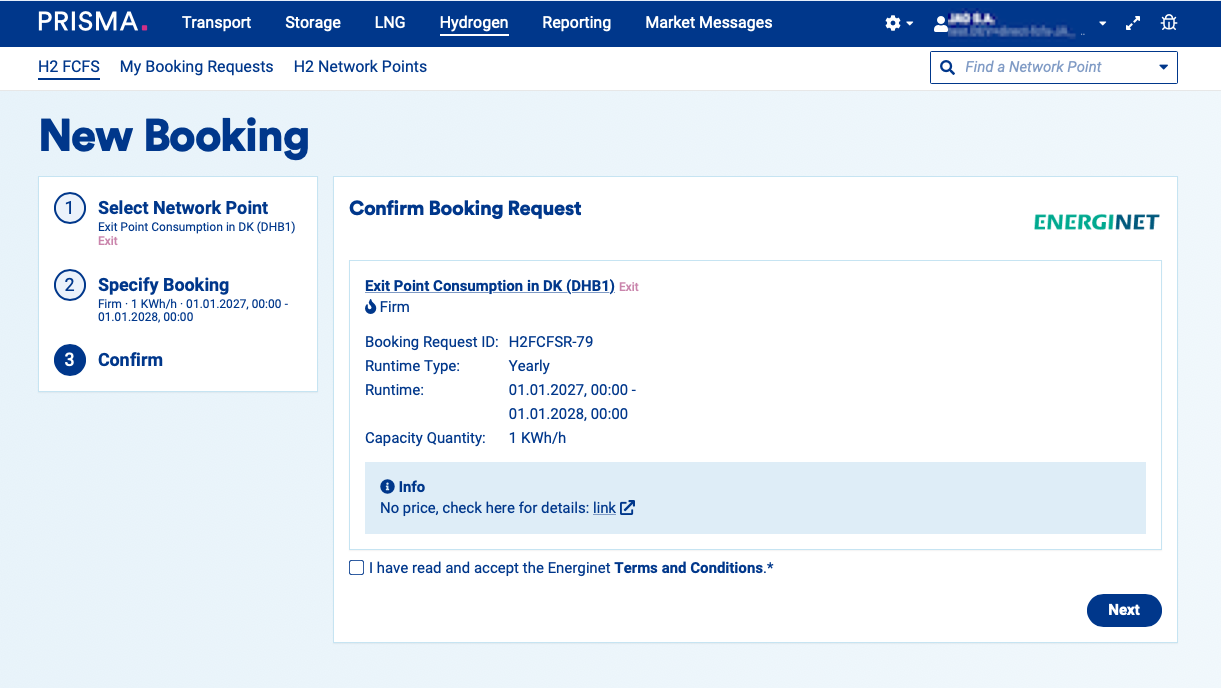
You’ll see a confirmation screen showing all the details you entered. If everything looks right, agree to the Terms&Conditions and click “Next.” If you need to make any changes, click “Specify booking” to go back.
Your booking will be reserved and can be found under "My booking requests" but still needs to be approved by the operator.