
Overview
As a shipper admin, you can request assignments to an operator for the users in your company. You can request an assignment for several users at once. If your company doesn't have an assignment to that operator yet, the same request also applies for the organisation assignment.
The operator decides whether to approve each request. Most operators also ask for documents before they approve, which you send to them directly.
For further information on what assignments are and how to check their status, please consult: How to View Your Assignments to Operators?
Requesting an Assignment
To request an assignment for your users, do as follows:
- Log into PRISMA.
- In the left sidebar, click Operators, then Assignments.
- Click Apply for New Assignment at the top right.
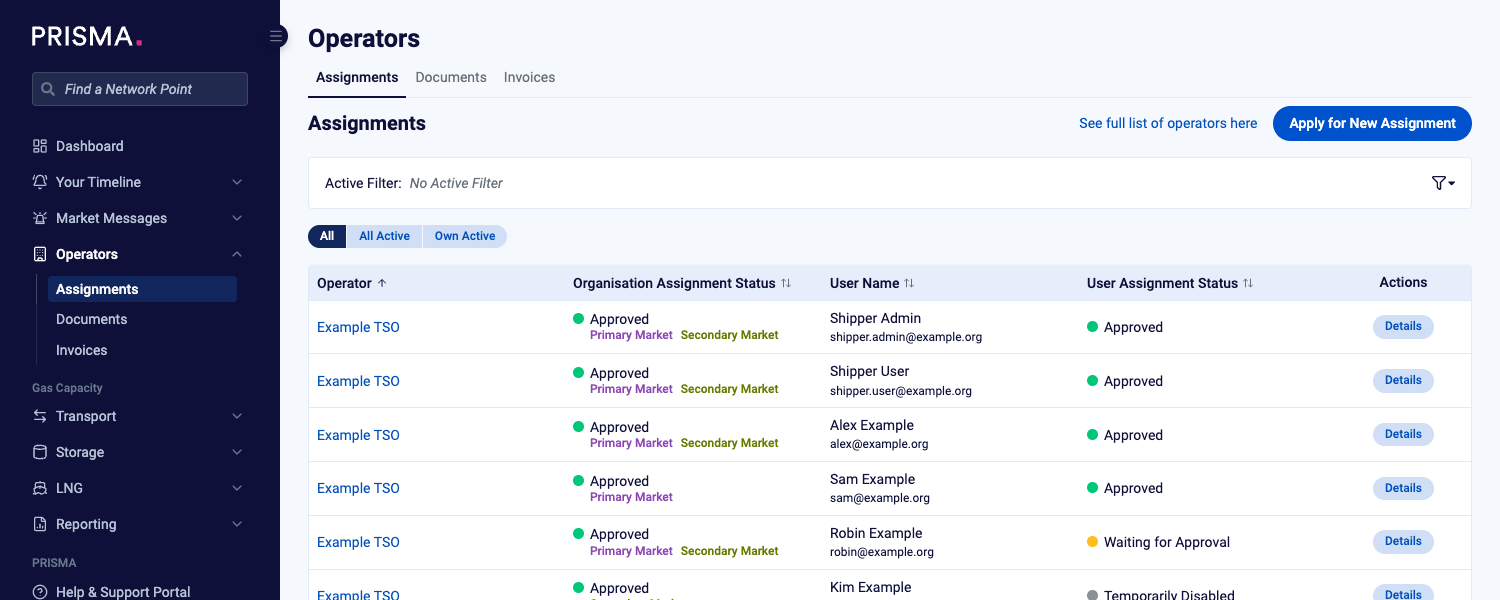
The Assignments page, with Apply for New Assignment at the top right.
- In the Operator field, type the operator's name and select it from the list.
- In the Users field, select the users you want to request the assignment for. You can select more than one user.
- If your company has no assignment to this operator yet, read the operator's General Terms and Conditions and tick the checkbox to accept them.
- Check the list of documents the operator requires, which appears below the checkbox.
- Click Submit.
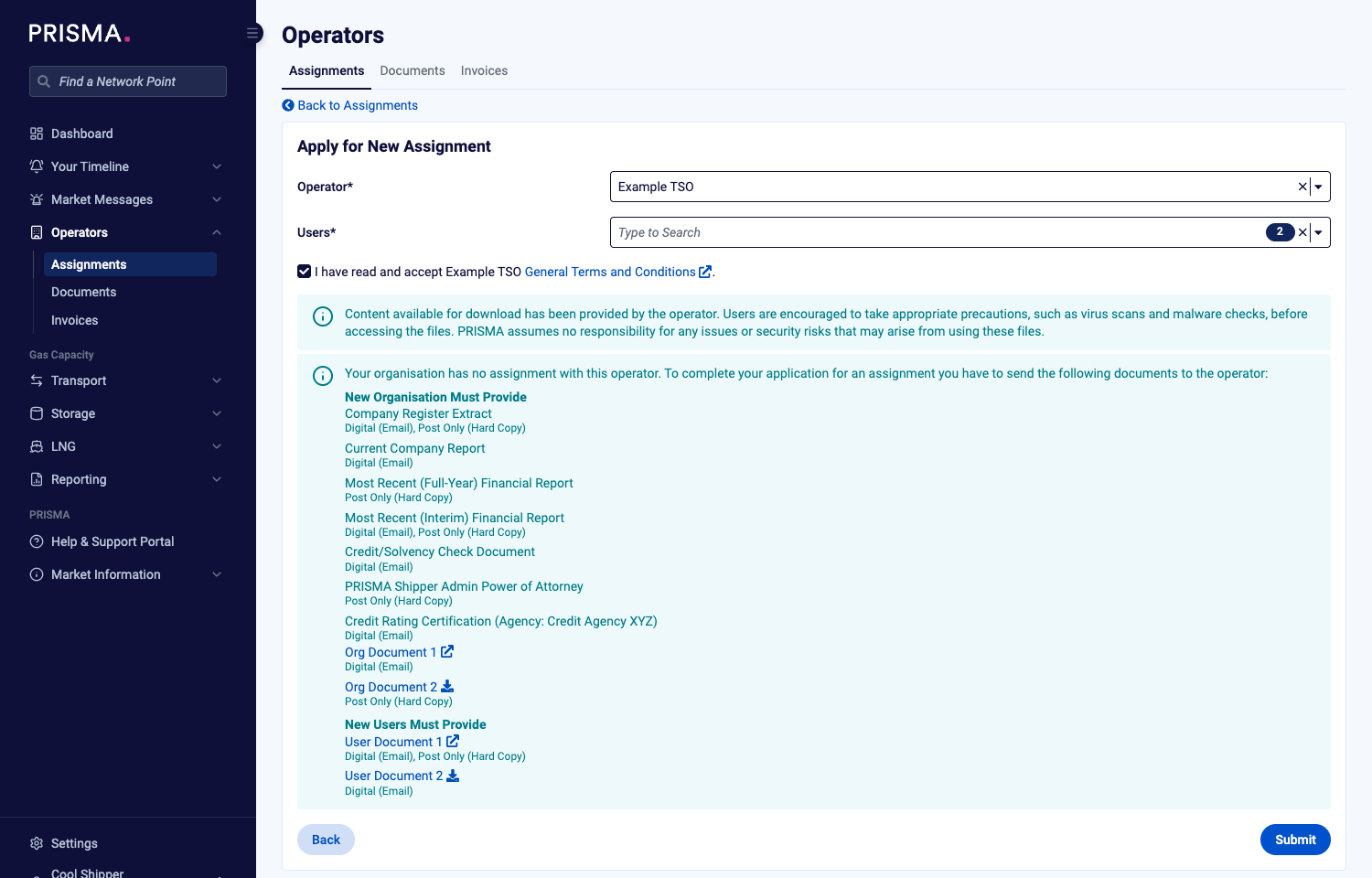
The Apply for New Assignment form, with the documents the operator requires listed below the checkbox.
PRISMA confirms that your assignment request was submitted and lists the users it created applications for.
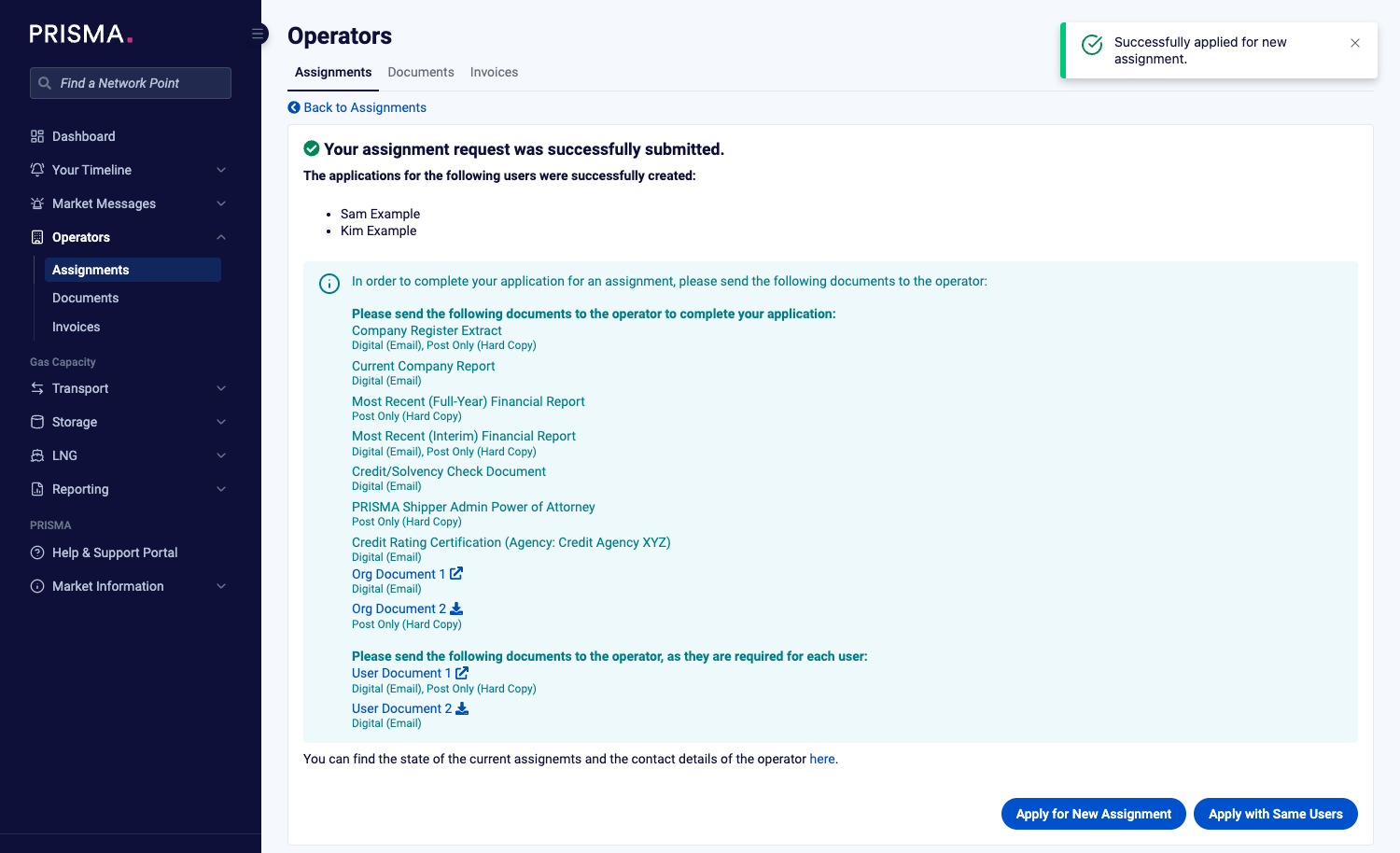
The confirmation page, with the documents to send to the operator.
To request another assignment for the same users, click Apply with Same Users. To start a new request, click Apply for New Assignment.
Sending the Required Documents
To complete the application, send the listed documents to the operator. The list shows which documents the operator needs from your company and which it needs for each user, and whether the operator accepts each document by email, by post, or both.
Send the documents directly to the operator, not to PRISMA.
For further information, please consult: How do I find the documents necessary for registration with an operator?
Some operators require a supplier DVGW code for an assignment. If you select such an operator and your company has no DVGW code yet, PRISMA shows a warning and you can't submit the request. Add the code in your company's Shipper Details first.
After You Submit
The new assignments show the status Waiting for Approval until the operator decides. You can follow them on the Assignments page. To request an assignment for yourself only, please consult: How to Request Assignments to Operators?