
Overview
To book capacity or trade with an operator on PRISMA, both your company and you as a user need the operator's approval. This approval is called an assignment. It links your account to a Transmission System Operator (TSO), a Storage System Operator (SSO), a Liquefied Natural Gas System Operator (LSO) or a Hydrogen Transport Network Operator (HTNO).
Requesting an assignment has two stages: you submit the request on PRISMA, then you send the documents the operator requires directly to the operator. The operator, not PRISMA, decides whether to approve the request.
Only shipper admins can request assignments, both for themselves and for other users in their company. If you are not a shipper admin, ask your company's shipper admin to request the assignment for you.
Step 1: Submit the Request on PRISMA
To request an assignment, do as follows:
- Log into PRISMA.
- In the left sidebar, click Operators, then Assignments.
- Click Apply for New Assignment at the top right.
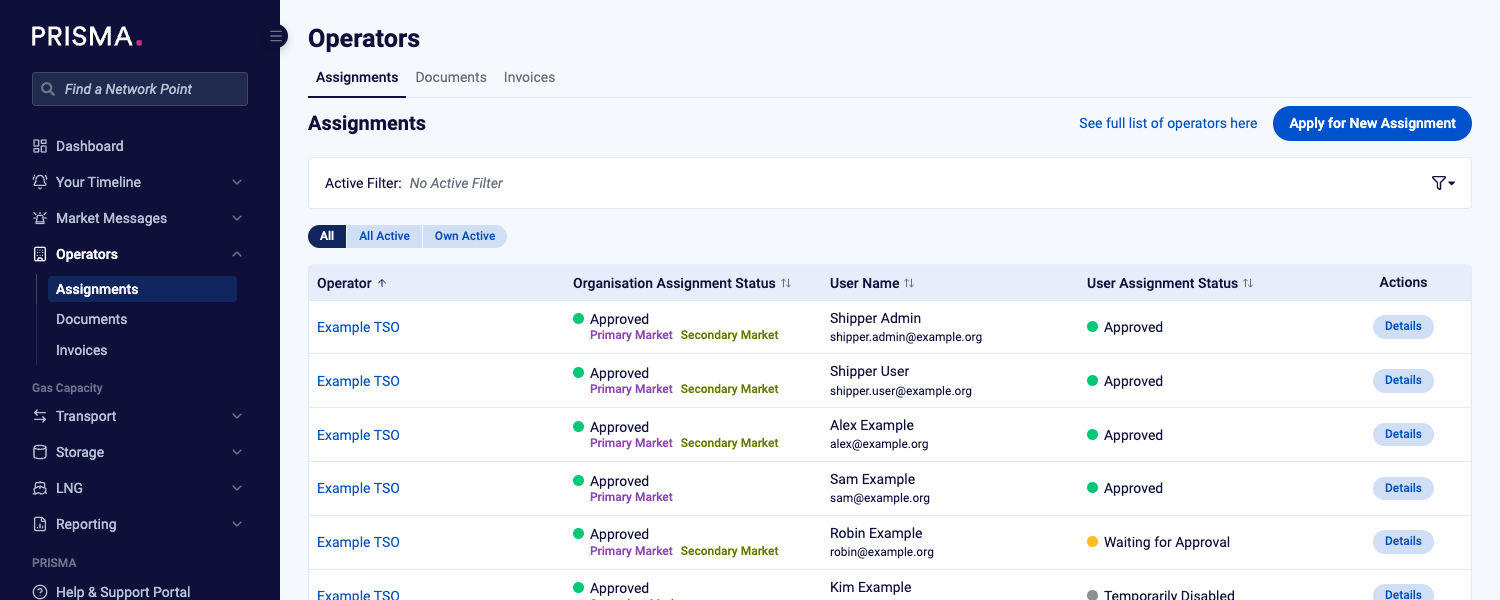
The Assignments page, with Apply for New Assignment at the top right.
- In the Operator field, type the operator's name and select it from the list.
- In the Users field, select the users the assignment is for. Select yourself to request your own assignment. You can select more than one user.
- If your company has no assignment to this operator yet, read the operator's General Terms and Conditions and tick the checkbox to accept them.
- Check the list of documents the operator requires, which appears below the checkbox.
- Click Submit.
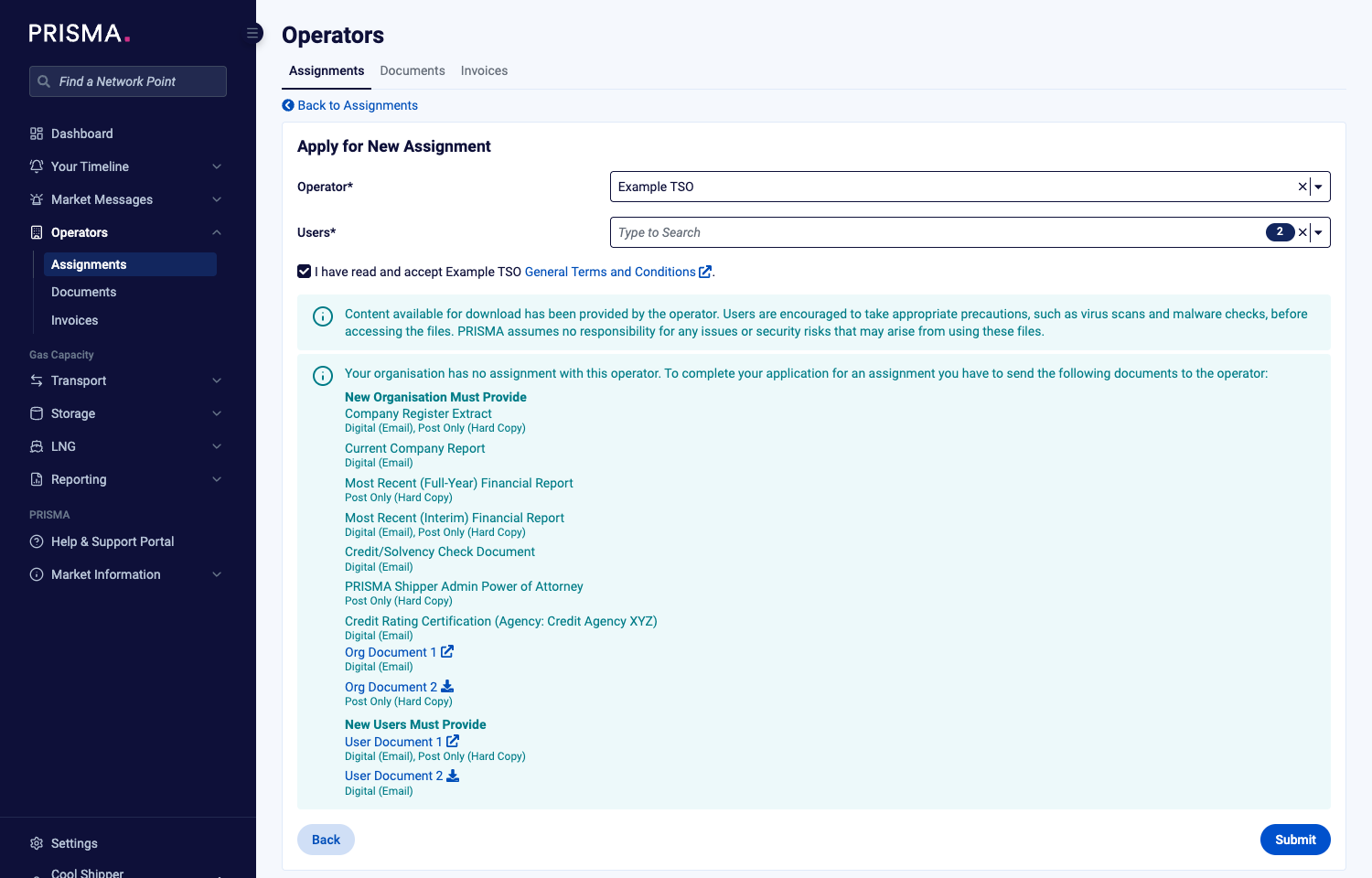
The form for an operator your company has no assignment to yet: you accept the GTCs and see the documents for both your company and the users.
If your company already has an assignment to the operator, there is no checkbox. Instead, PRISMA states that the operator's existing General Terms and Conditions apply, and lists only the documents needed for each new user.
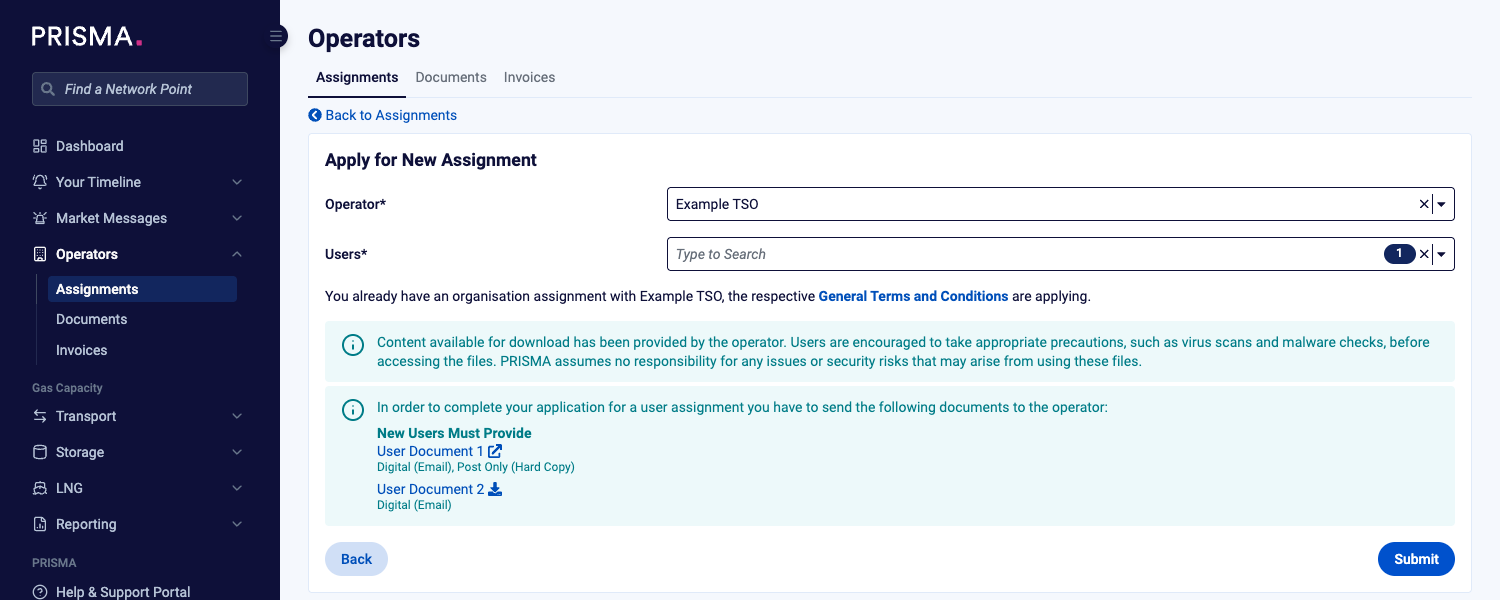
The form for an operator your company is already assigned to.
PRISMA confirms that your assignment request was submitted and lists the users it created applications for.
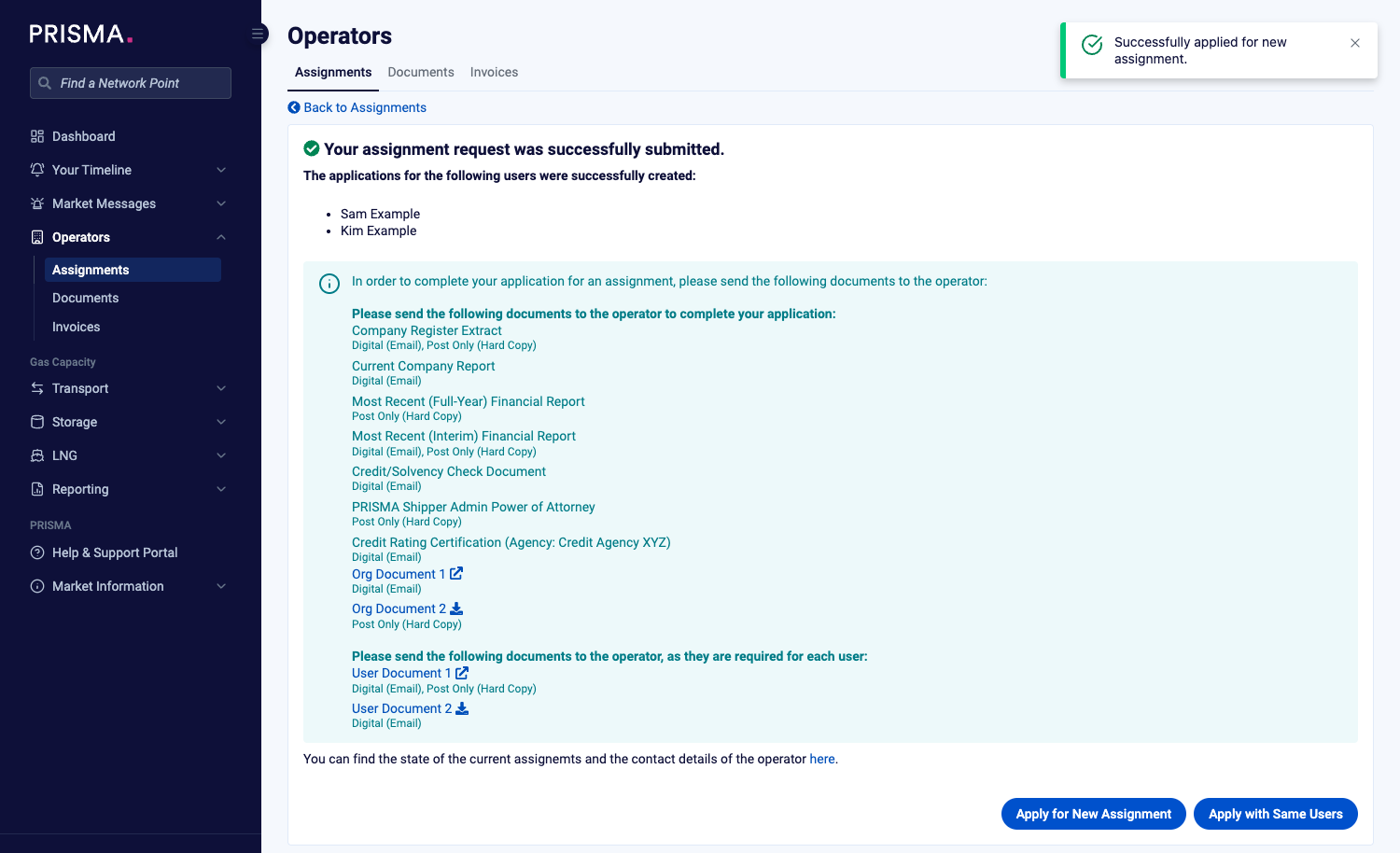
The confirmation page, with the documents to send to the operator.
Step 2: Send the Required Documents to the Operator
To complete your application, send the documents listed on the confirmation page to the operator. The list shows which documents the operator needs from your company and which it needs for each user, and whether it accepts each one by email, by post, or both. You also receive a confirmation email.
Send the documents directly to the operator, not to PRISMA.
You can also find each operator's required documents on the Market Participants page, or in the Documents section of the operator's assignment details page.
For further information, please consult: How do I find the documents necessary for registration with an operator?
Some operators require a supplier DVGW code for an assignment. If your company has no DVGW code yet, PRISMA shows a warning and you can't submit the request. Add the code in your company's Shipper Details first.
After You Submit
The operator reviews your documents and approves or rejects the request. Until then, the assignment shows the status Waiting for Approval on the Assignments page.
For further information, please consult: How to View Your Assignments to Operators?
If You Are Not a Shipper Admin
If you are not a shipper admin, Apply for New Assignment is greyed out. When you point at it, PRISMA explains that only a shipper admin of your company can create new assignment requests.
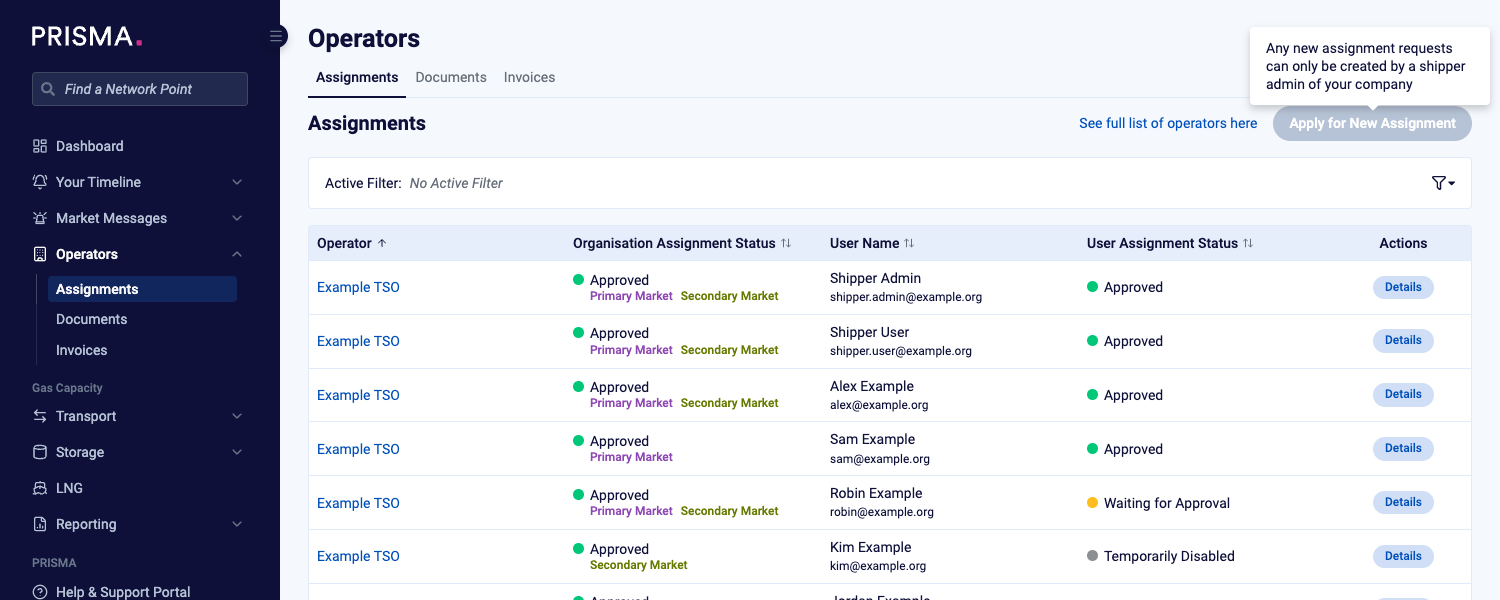
The Apply for New Assignment button as a user without admin rights sees it.