
Support Portal - How to Create a Ticket?
Overview
This article shows you how you can create a new ticket with the PRISMA Customer Success team.
Instructions
1. Log in to the PRISMA Support Portal
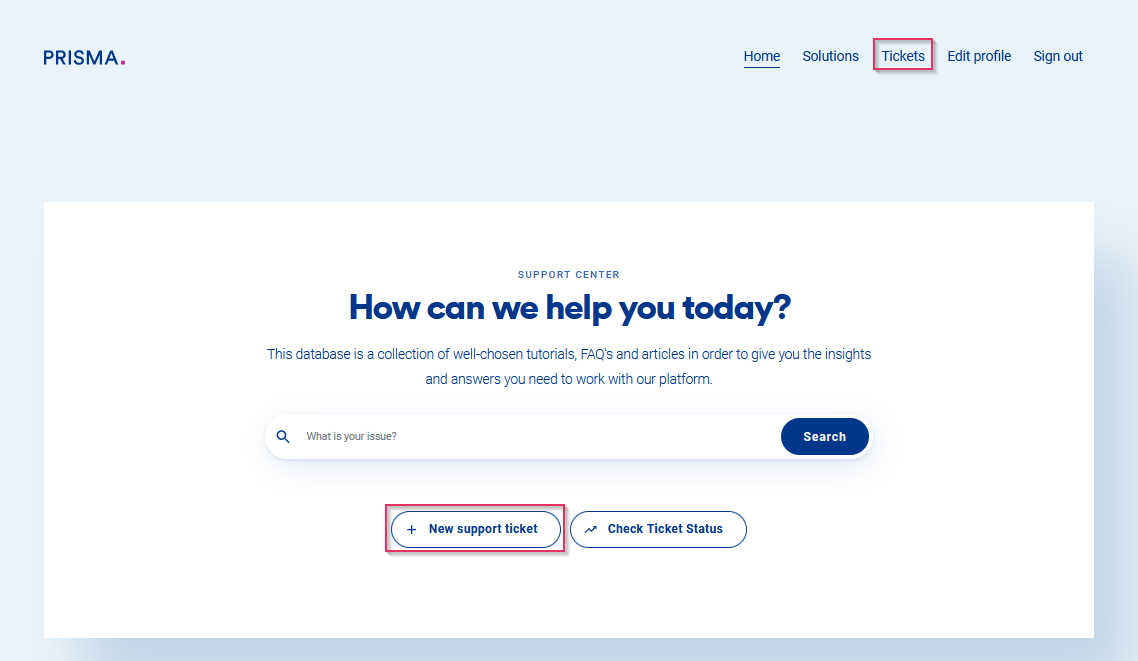
2. Click either on "Tickets" on the top-right corner of the page or on "New support ticket".
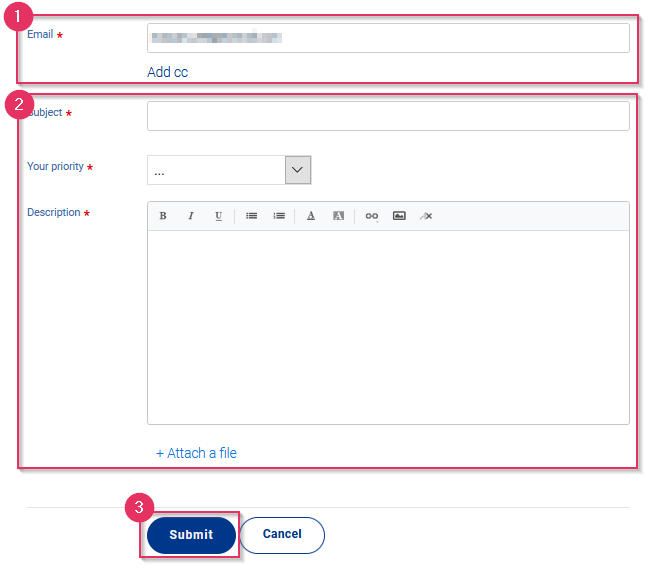
3. On the ticket submission page, you will:
- See your email address and you can add a CC
- Fill in the subject, the priority, and the description of your issue, you can also attach a file
- Submit the ticket by clicking on "Submit"
4. You can manage the ticket in the 'Your Tickets' section.