
Overview
As a shipper admin, you can cancel the assignment of one of your company's users to an operator. Once cancelled, that user can no longer book capacity or trade with the operator. Your company's organisation assignment and the assignments of your other users stay as they are.
To give the user access again, you need to request a new assignment for them.
For further information, please consult: How to Request an Assignment to an Operator for my Users?
Only shipper admins can cancel assignments for other users.
Cancelling a User's Assignment
To cancel a user's assignment, do as follows:
- Log into PRISMA.
- In the left sidebar, click Operators, then Assignments.
- Find the operator in the table and click Details in its row. To find it more quickly, click the filter icon at the right of the Active Filter bar.
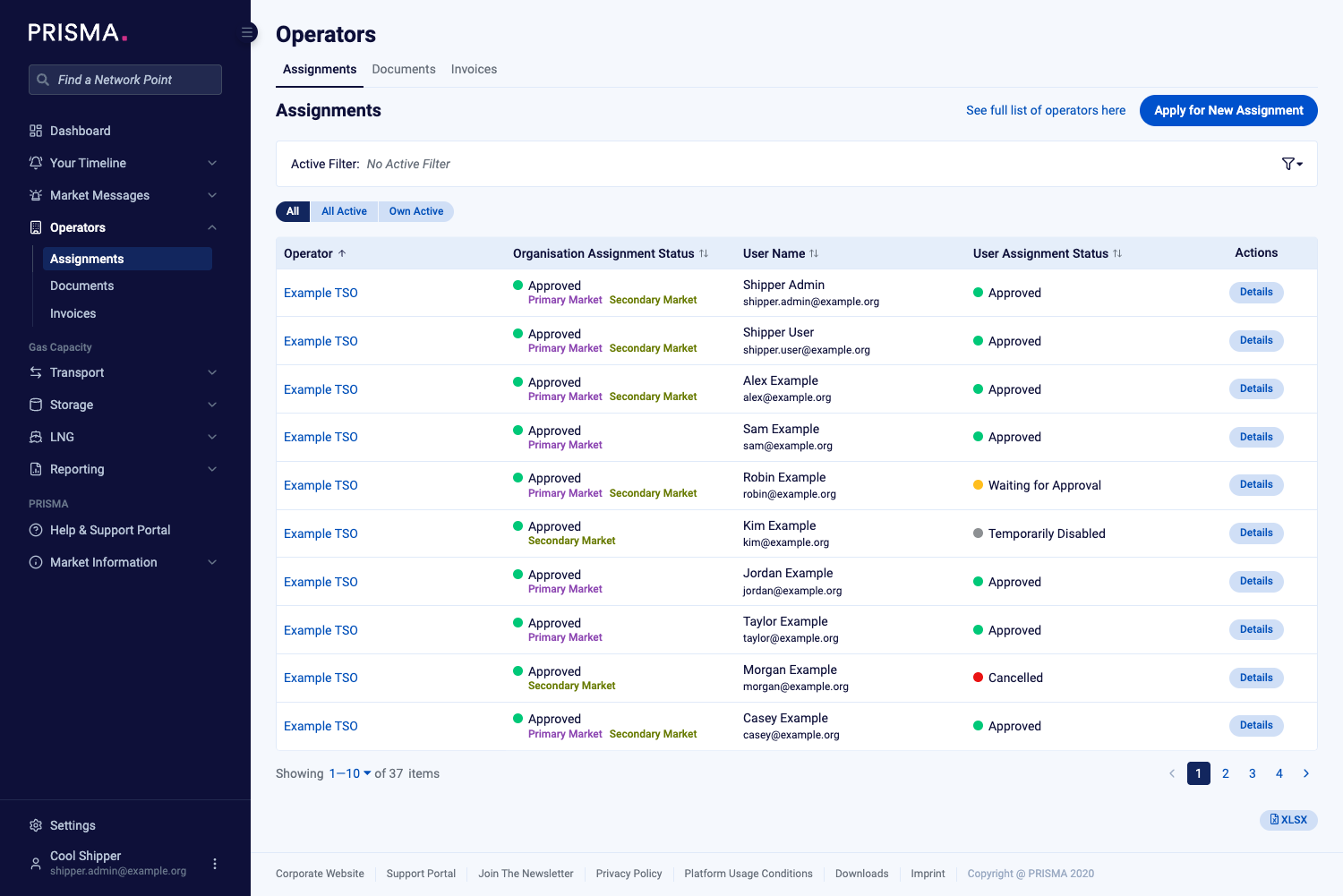
The Assignments page, with a Details button in each row.
- On the operator's page, scroll down to Assignment Status of Users.
- Find the user and click Cancel in their row.
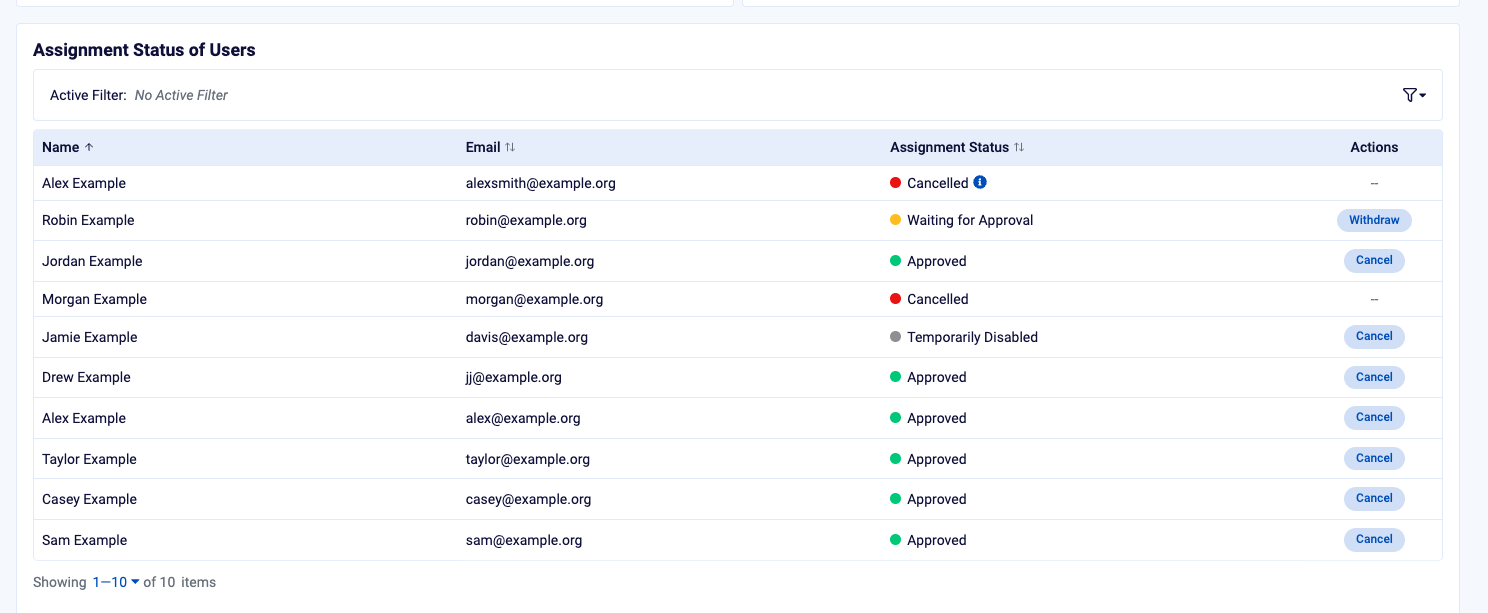
The Assignment Status of Users table, with a Cancel button for each active user.
- In the confirmation window, check the user's name and click Cancel Assignment.
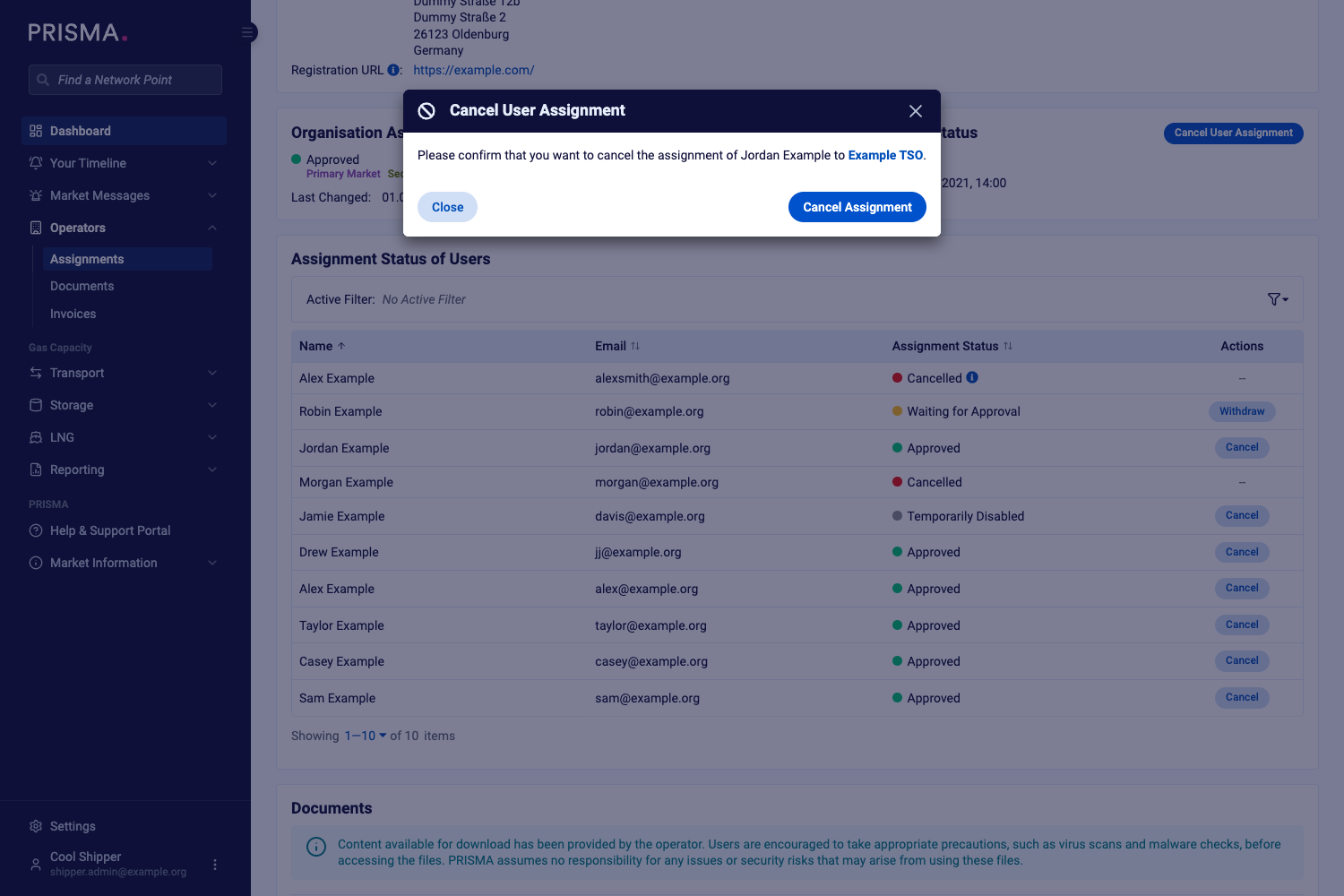
The confirmation window, naming the user and the operator.
PRISMA confirms the cancellation, and the user's status in the table changes to Cancelled.
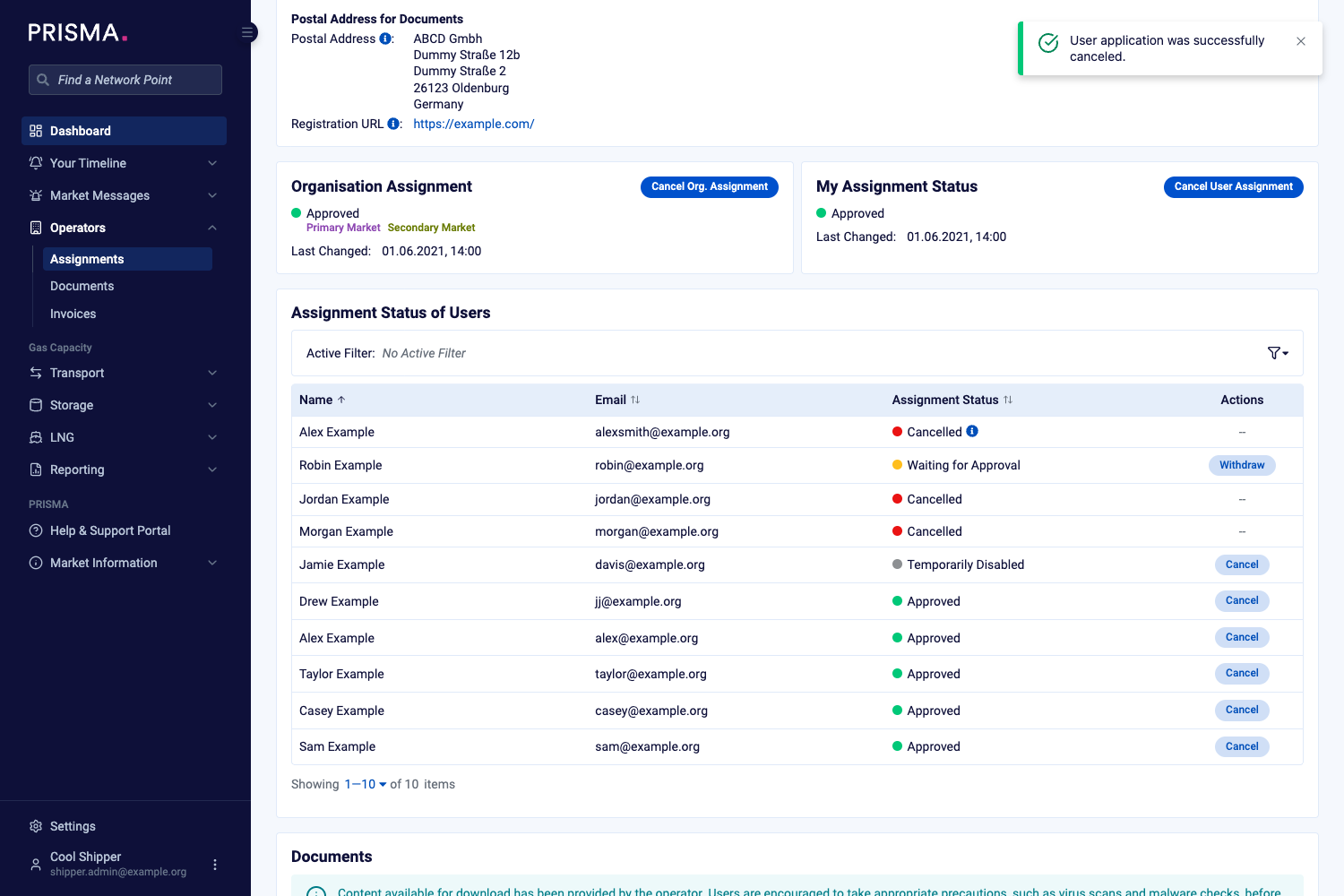
The confirmation message, and the user's status now showing Cancelled.
Withdrawing a Pending Request
If the user's assignment is still Waiting for Approval, their row shows Withdraw instead of Cancel. To withdraw the request, click Withdraw and confirm.
To cancel your own assignment or your company's organisation assignment, please consult: How to Cancel an Operator Assignment?