
Overview
A legacy contract (LECT) is a capacity contract you concluded with an operator outside PRISMA, which the operator has since uploaded to PRISMA. For each legacy contract, you can see on PRISMA how much credit is available for it, how much it requires, and which financial securities cover it.
For further information on the contract types, please consult: What Types of Capacity Contract Are There?
Viewing the Credit Limit of a Legacy Contract
To view the credit limit linked to a legacy contract, do as follows:
- Log into PRISMA.
- In the left sidebar, click Operators, then Assignments.
- In the row of the operator you have the legacy contract with, click Details.
- Scroll down to the Contracts section, find the contract with the type Legacy Contract, and click Details in its row.
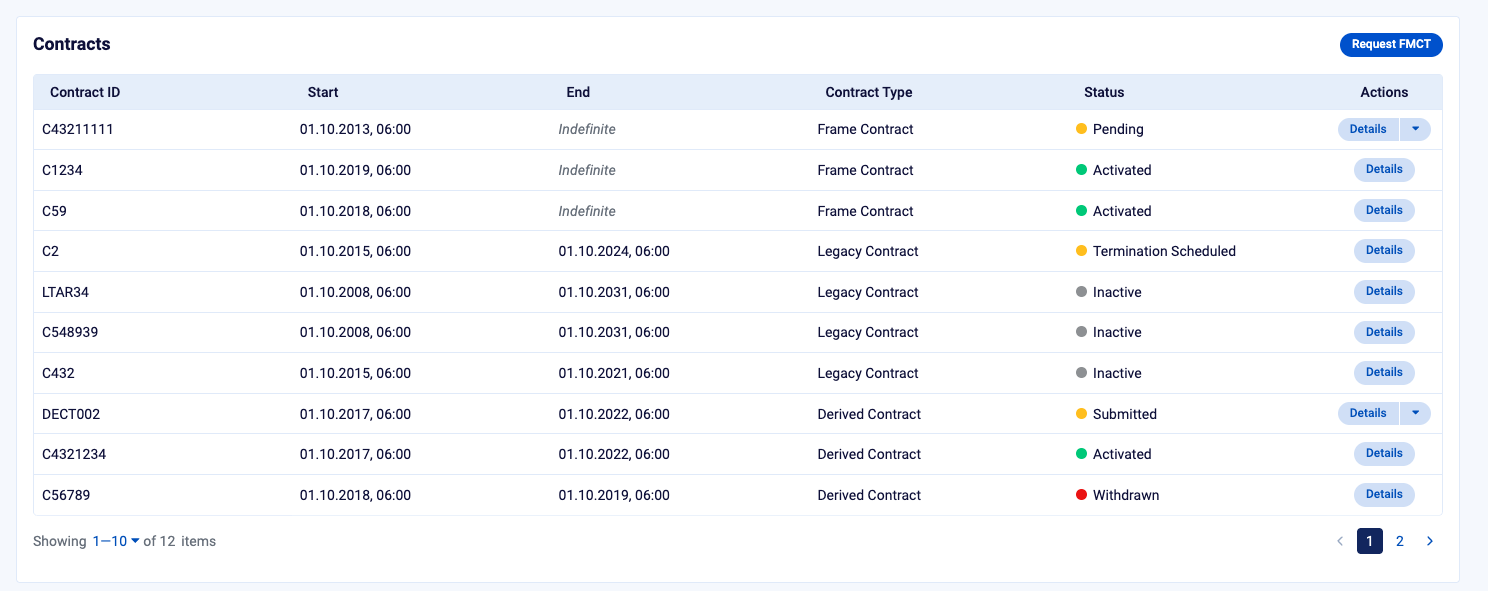
The Contracts section, where legacy contracts show the type Legacy Contract.
The contract page shows the contract's type, start and end dates and status, followed by the Financial Securities and Credit Limit Summary sections.
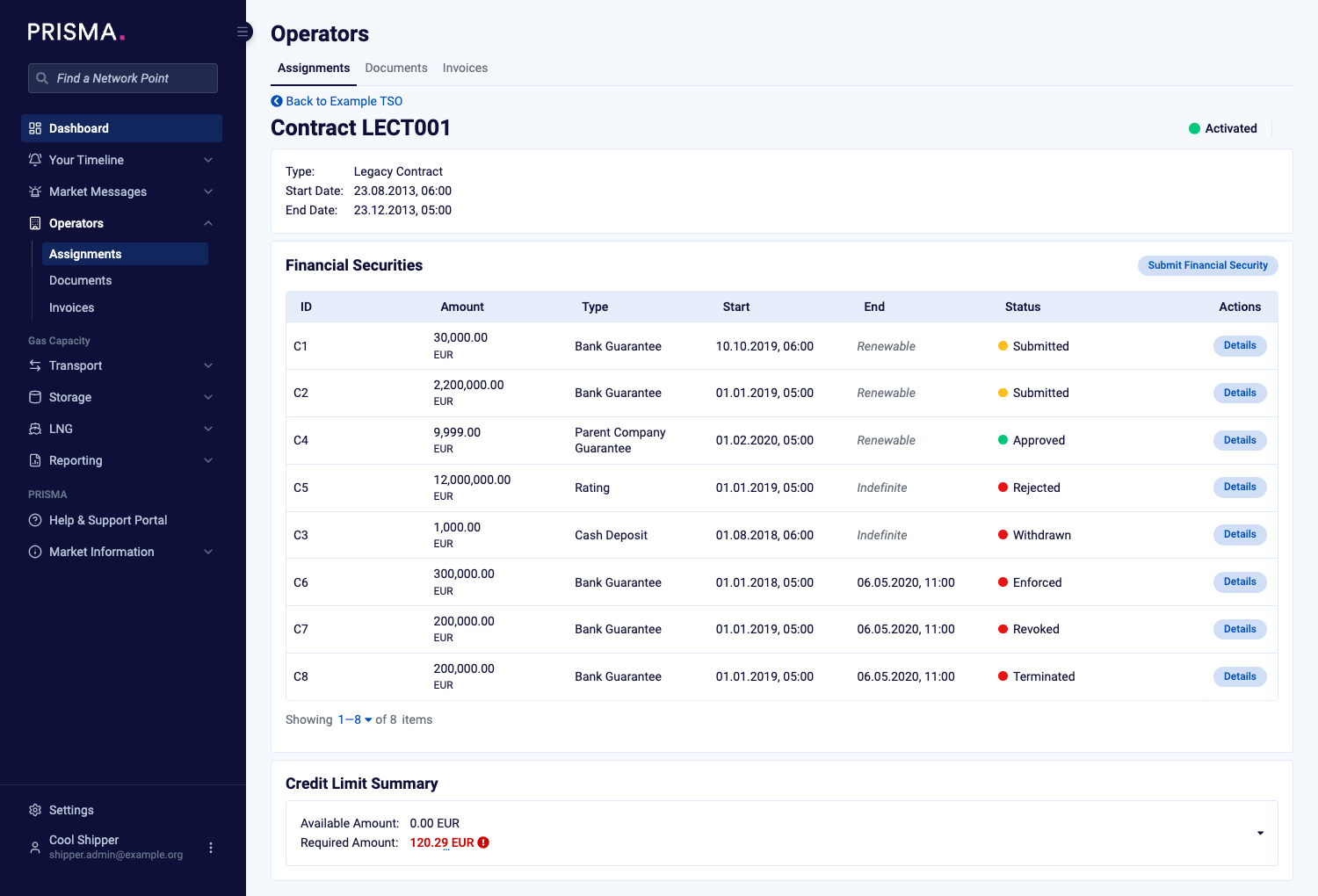
The legacy contract page, with Financial Securities and Credit Limit Summary.
Credit Limit Summary
The Credit Limit Summary shows two amounts for the contract:
| Amount | Meaning |
|---|---|
| Available Amount | The credit available for the whole contract. |
| Required Amount | The credit the contract requires. PRISMA shows it in red with a warning icon if it is higher than the available amount. |
To see how the amounts develop over the runtime of the contract, click the summary to expand the graph.
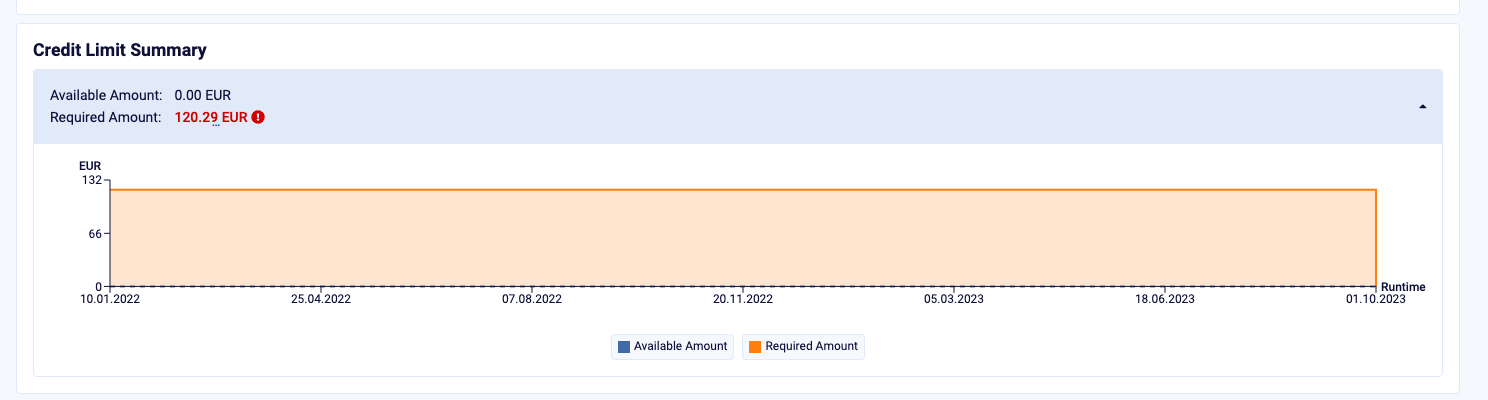
The expanded Credit Limit Summary, with the graph of available and required amounts over the runtime.
For some operators, the required amount shown on PRISMA can differ from the amount the operator calculates. In that case, PRISMA tells you so when you point at Required Amount, and the operator's amount is the valid one.
Financial Securities
The Financial Securities table lists the securities linked to the contract, such as bank guarantees, parent company guarantees, ratings and cash deposits, with their amount, validity and status. To open a security, click Details in its row. To add a new one, click Submit Financial Security.
For further information, please consult: How to Submit a Financial Security? and How to Associate Amounts from Your Financial Security with Credit limits?