
Overview
Some operators manage their contracts with shippers on PRISMA. If you have an assignment to one of these operators, you submit a financial security on PRISMA to cover your contracts with them. Once the operator approves the financial security, you can associate its amount with the credit limit of a contract.
You can submit four types of financial security:
| Type | What you provide |
|---|---|
| Cash Deposit | A bank transfer of the amount to the operator. |
| Rating | Your company's credit rating, with the name of the rating agency. |
| Bank Guarantee | A guarantee from your bank, using the operator's guarantee text. |
| Parent Company Guarantee | A guarantee from your parent company. |
You cannot submit a Parent Company Guarantee for a legacy contract (LECT) or a derived contract (DECT).
For further information on the contract types, please consult: What Types of Capacity Contract Are There?
Submitting a Financial Security
To submit a financial security, do as follows:
- Log into PRISMA.
- In the left sidebar, click Operators, then Assignments.
- In the row of the operator you want to submit the financial security to, click Details.
- Scroll down to the Financial Securities section and click Submit Financial Security.
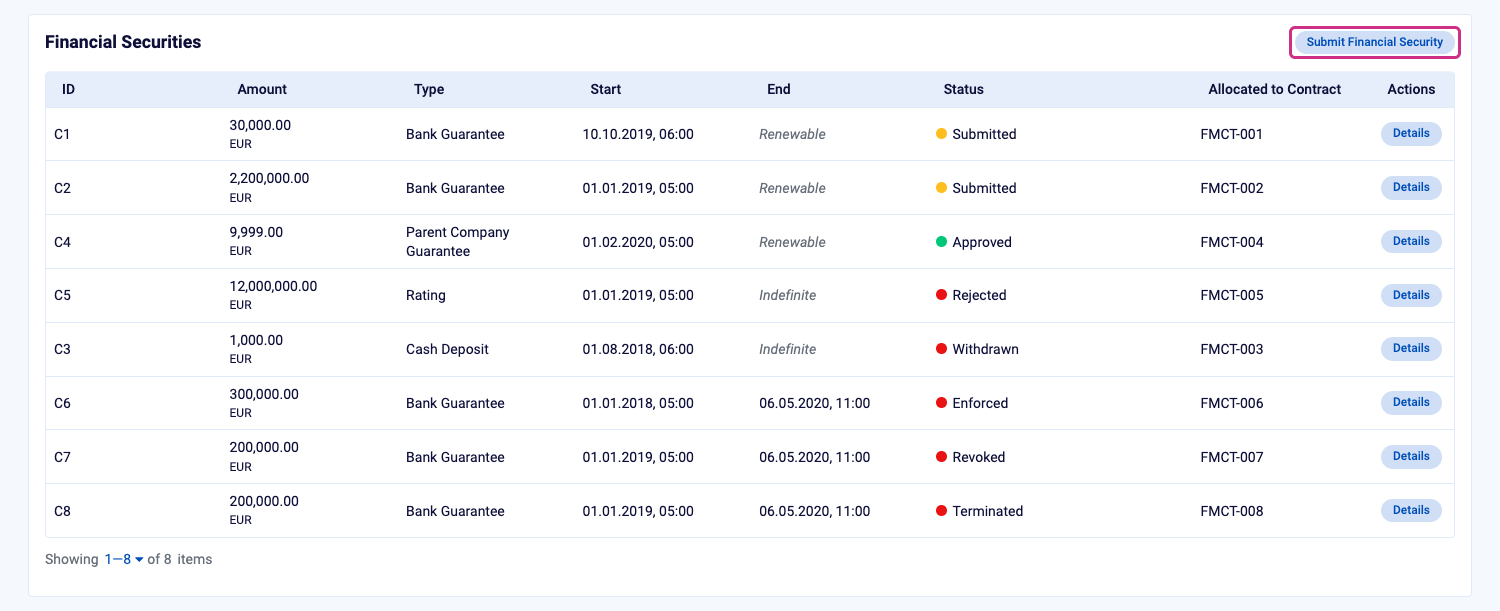
The Financial Securities section, with Submit Financial Security at the top right.
- In Contract ID, select the contract the financial security is for. You can type to search for it.
- In Amount, enter the amount in euros.
- In Financial Security Type, select Cash Deposit, Rating, Bank Guarantee or Parent Company Guarantee. PRISMA shows the operator's requirements for that type below the form.
- If you selected Rating, enter the Rating Agency and your company's credit rating in Quotation, for example AA.
- Click Submit.
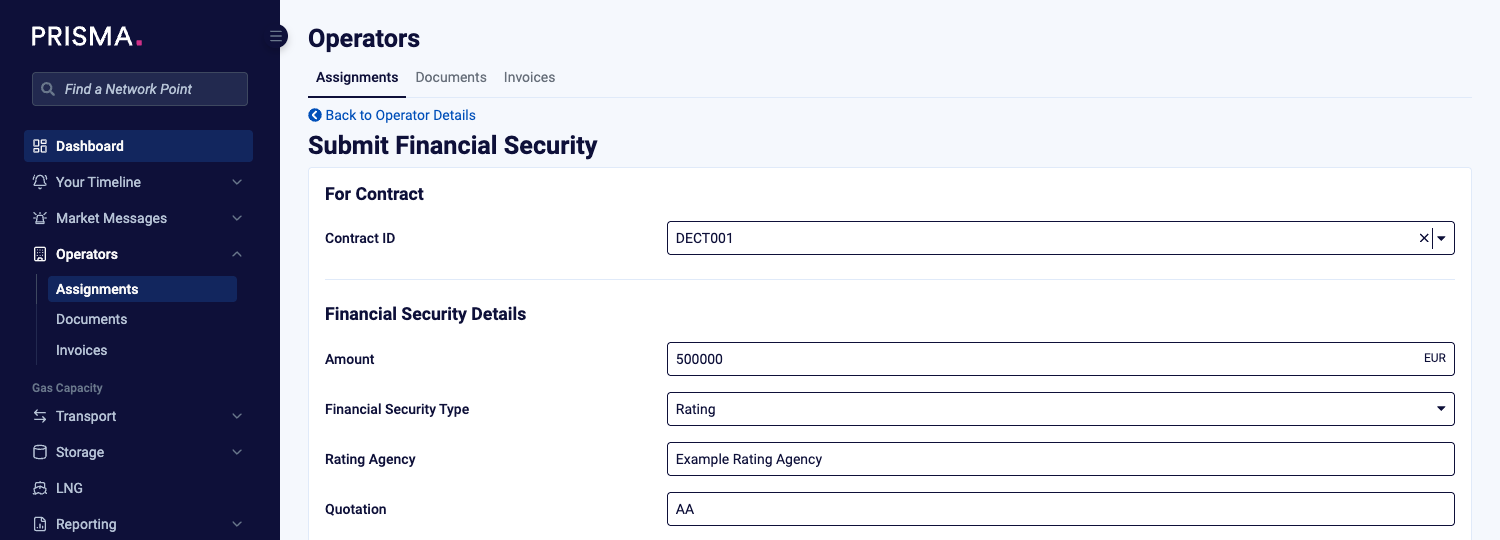
The Submit Financial Security form, filled in for a Rating.
PRISMA confirms the submission and opens the details page of the financial security, with the status Submitted. The financial security now waits for the operator's approval.
You can also submit a financial security from the page of a contract: click Submit Financial Security in its Financial Securities section. PRISMA then fills in the Contract ID for you.
After Submitting
The details page of the financial security shows the next steps for its type. Depending on the type and the operator, these include documents to download and send to the operator, or the bank details for your transfer.
For a Cash Deposit, use the payment reference shown on the details page for your bank transfer. Each Cash Deposit covers one bank transfer only: if you want to make several transfers, submit a separate Cash Deposit for each of them, and use its own payment reference.
As long as the financial security has the status Submitted, you can withdraw it.
For further information, please consult: How to Withdraw a Financial Security?
If the operator rejects your financial security, PRISMA notifies you. Please contact the operator to find out why, then submit a new financial security with corrected details or a different type.
Once the operator approves your financial security, you can associate its amount with your contracts' credit limits.
For further information, please consult: How to Associate Amounts from Your Financial Security with Credit Limits?