Overview
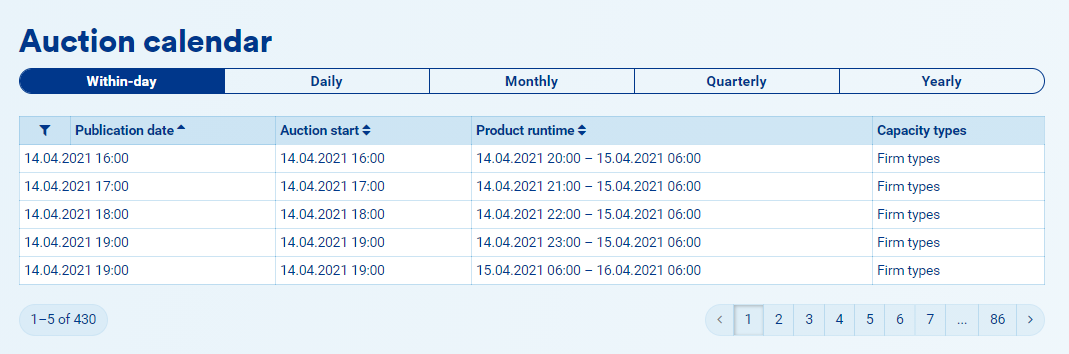
The auction calendar is always visible on the platform.
Instructions
1. Click on "Transport".
2. You will be in the "Auctions" tab.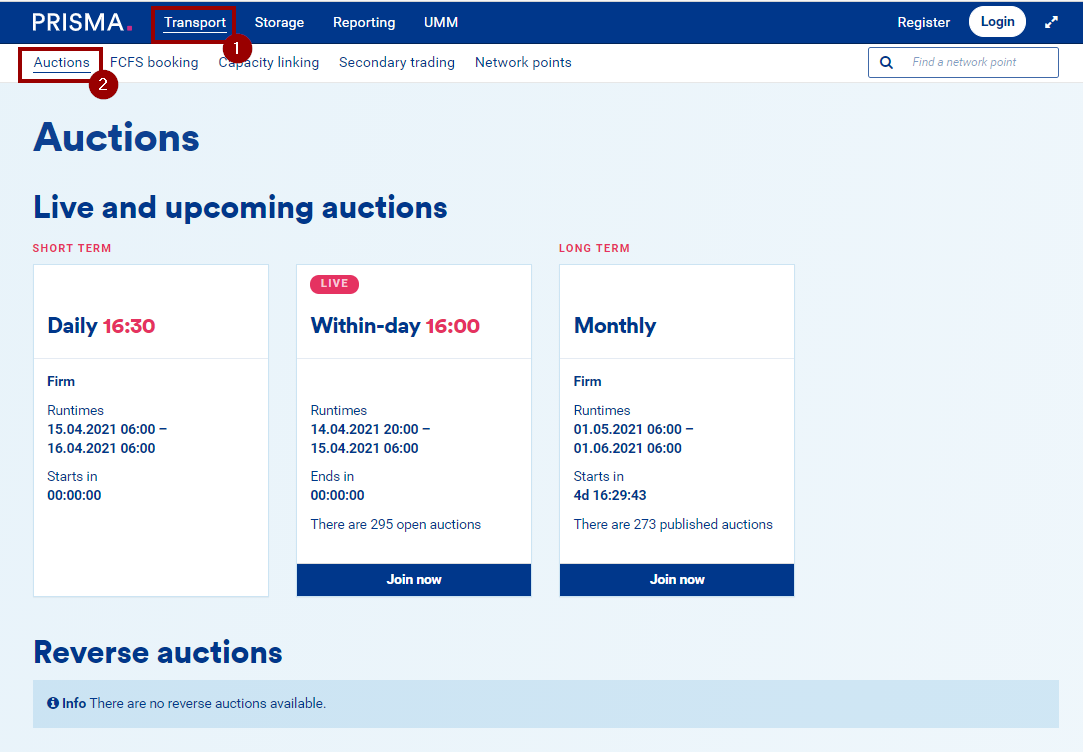
3. Scroll to the bottom of the page to display the auction calendar. The scheduled auctions shown here are according to the ENTSO-G auction calendar.
4. By default, the within-day auction calendar is shown. To display the other runtimes' calendars, click on the respective button.