
Overview
Some operators offer additional services that you can't book directly on PRISMA, called contracting services. You can still request them through PRISMA: the operator provides a form on PRISMA, and when you submit it, both you and the operator receive an email with the details you entered.
You find an operator's contracting services on the operator's assignment details page. The Contracting Services section only appears if the operator offers any.
Requesting a Contracting Service
To request a contracting service, do as follows:
- Log into PRISMA.
- In the left sidebar, click Operators, then Assignments.
- In the row of the operator, click Details.
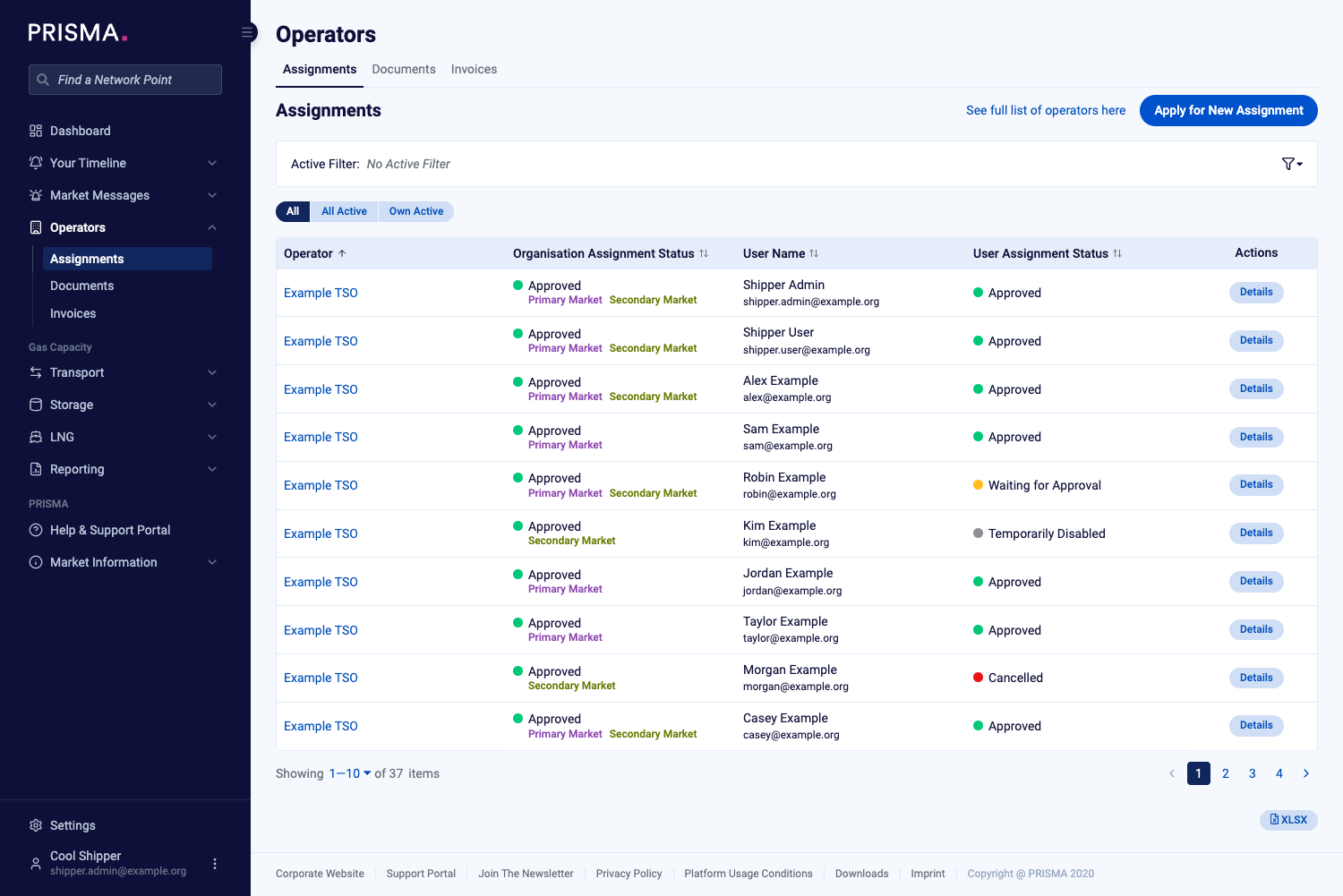
The Assignments page, with a Details button in each row.
- Scroll down to the Contracting Services section and click Request New.
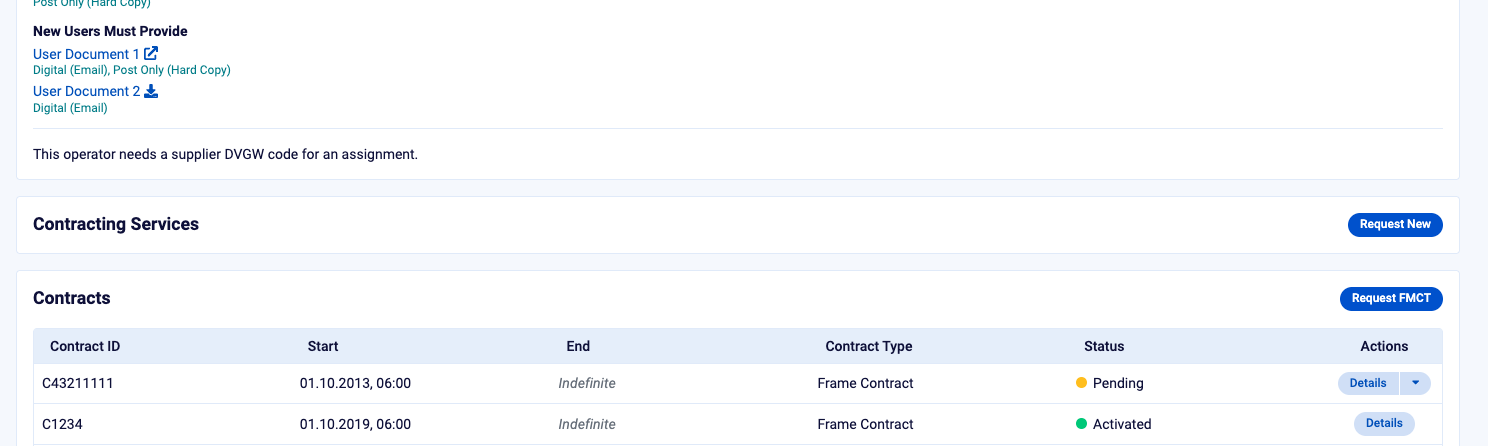
The Contracting Services section, with the Request New button.
- On the form that opens, select the service you want to request.
- Fill in the fields the operator asks for.
- Click Submit.
PRISMA sends an email with the details you entered to you and to the operator. The operator then contacts you about the service.
For an example of how a contracting service is used, please consult: FCFS Capacity - How To Book Through Contracting Services