
Overview
PRISMA shows all live and upcoming transport capacity auctions on the Auctions page. To open it, click Transport in the left sidebar, then Auctions.
The page groups the auctions into tiles:
| Section | What it shows |
|---|---|
| Short Term | A tile for each upcoming or running short-term auction, such as within-day or daily auctions, with the runtime and a countdown to its start. |
| Long Term | A tile for each upcoming or running long-term auction, such as yearly auctions, with the capacity category, runtime, countdown and, for your company, how many auctions, favourite network points and bids it involves. |
| Other Auctions | Tiles for other auction types, such as Gela and Mazara (SNAM) auctions and modulation service auctions. |
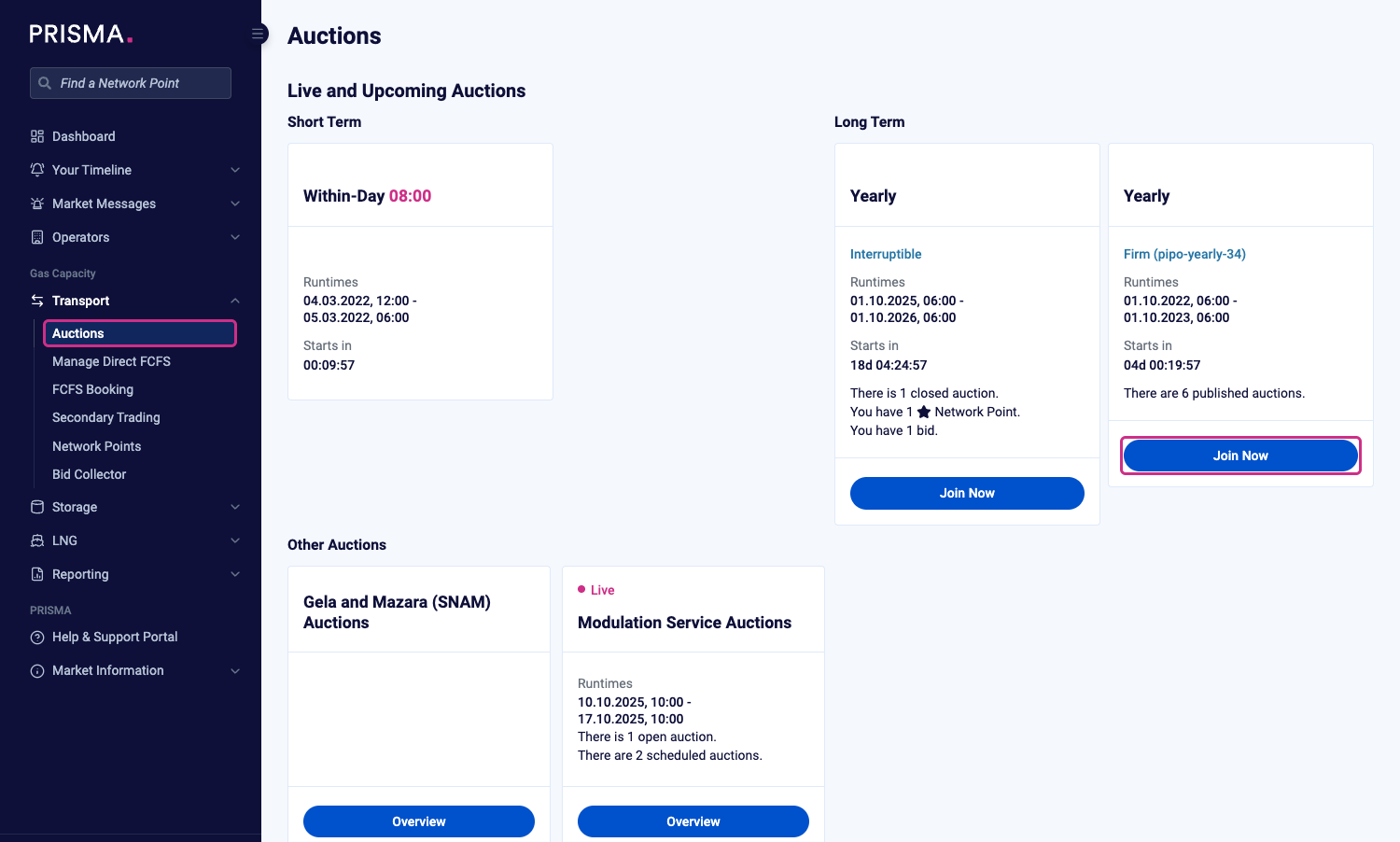
The Auctions page, with tiles for short-term, long-term and other auctions.
The countdown on each tile shows the time until the auction starts or moves to its next stage. For the full schedule of auction dates, please consult: Auction Calendar
Viewing and Downloading the Auctions in a Tile
To see every auction in a tile, click Join Now on that tile. PRISMA lists the auctions in a table, with the network point, operator, marketable capacity, capacity category and starting price of each. To narrow down the list, use the filters above the table.
To download the list, scroll to the bottom of the page and click CSV. PRISMA downloads a CSV file with all auctions in the table.
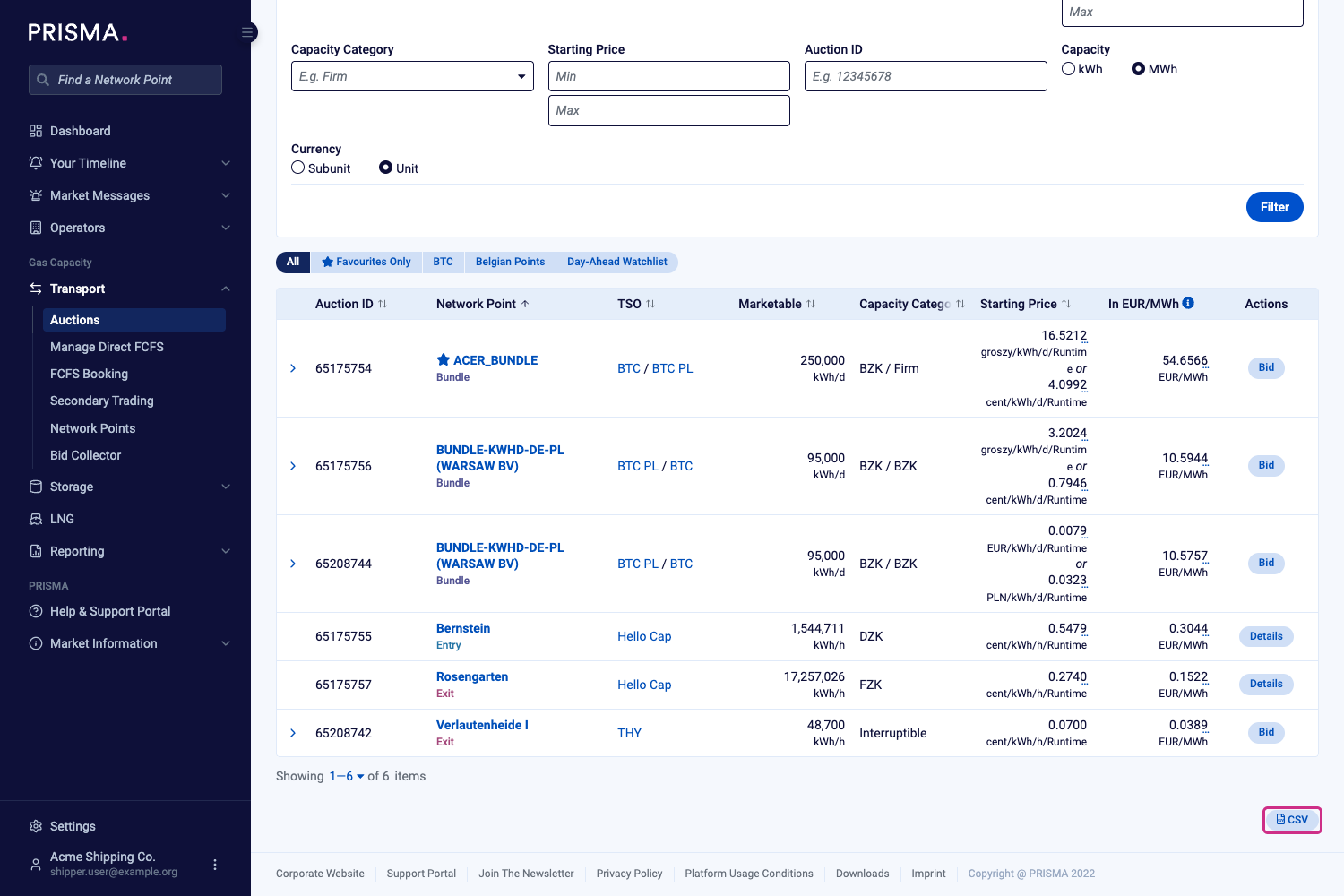
The auction list, with the CSV button below the table.
For the auction types PRISMA offers, please consult: What Are Incremental Auctions?