
Overview
You can view Urgent Market Messages (UMMs) published by PRISMA or by operators directly on the PRISMA Platform. As soon as a message is published, it appears on a public timeline, in line with ACER Regulation, so that all market participants have access to the same information at the same time.
How to Access the UMM Timeline
To open the timeline and find the messages relevant to you, follow these steps:
- Log in to PRISMA (optional, the UMM timeline is also accessible without logging in).
- Click on UMM in the top blue menu.
- Use the filter to narrow down the messages to those that concern you, or browse through all of them.
- Click on Filter to apply your selection.
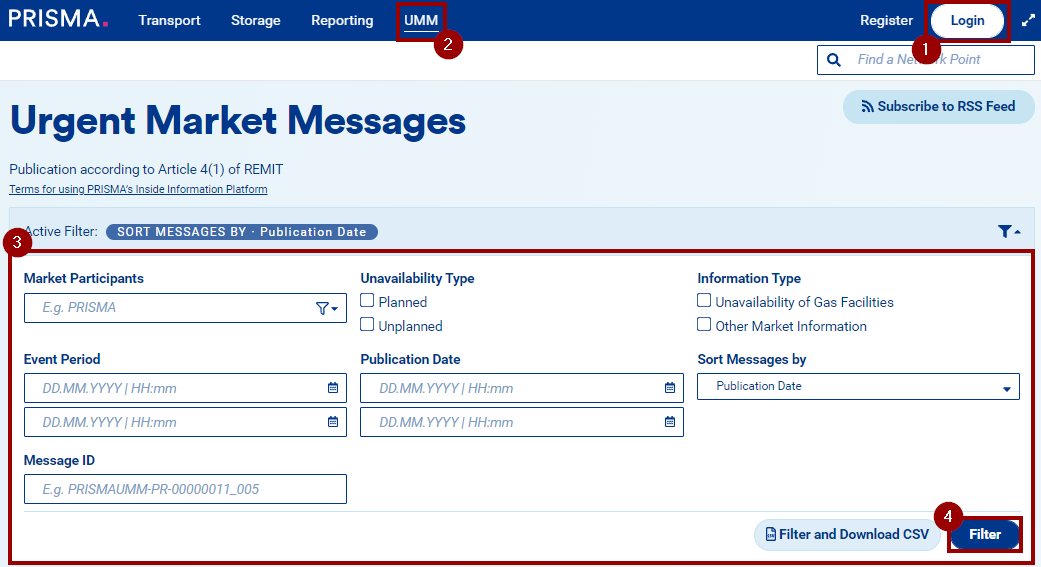
The matching UMMs are displayed directly below the filter.
Reading the Timeline
Each entry on the UMM timeline gives you a quick view of what was published and when.
You can:
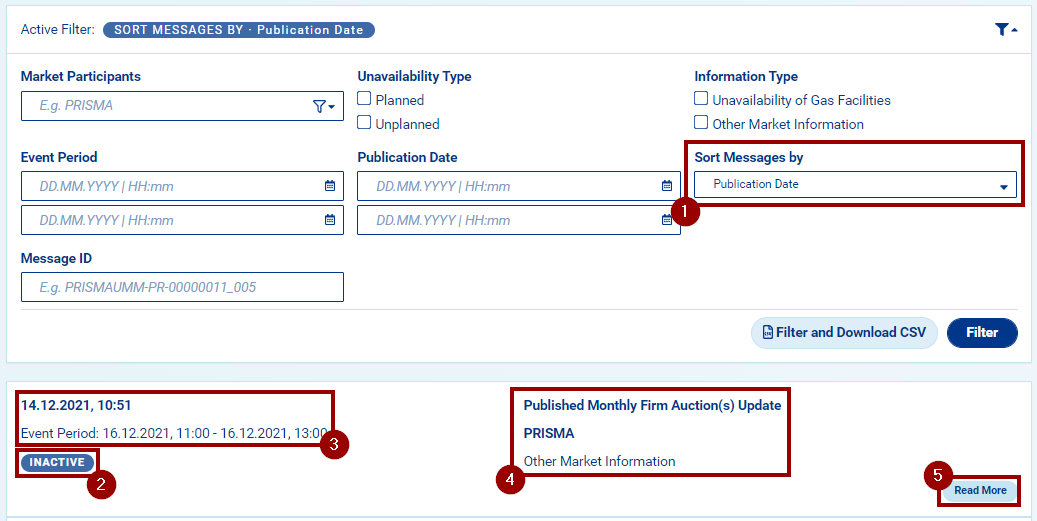
- Sort messages by publication date or event period start, using the dropdown menu inside the filter.
- Check the status of each message at a glance, indicated by a color-coded label:
- Inactive: the event period has passed.
- Active: the event period is ongoing.
- Dismissed: the message was cancelled.
- See the publication date and period of validity of each message.
- Read general information about the content of the message and the publisher.
- Click Read More to open the full detail view.
The Detail View
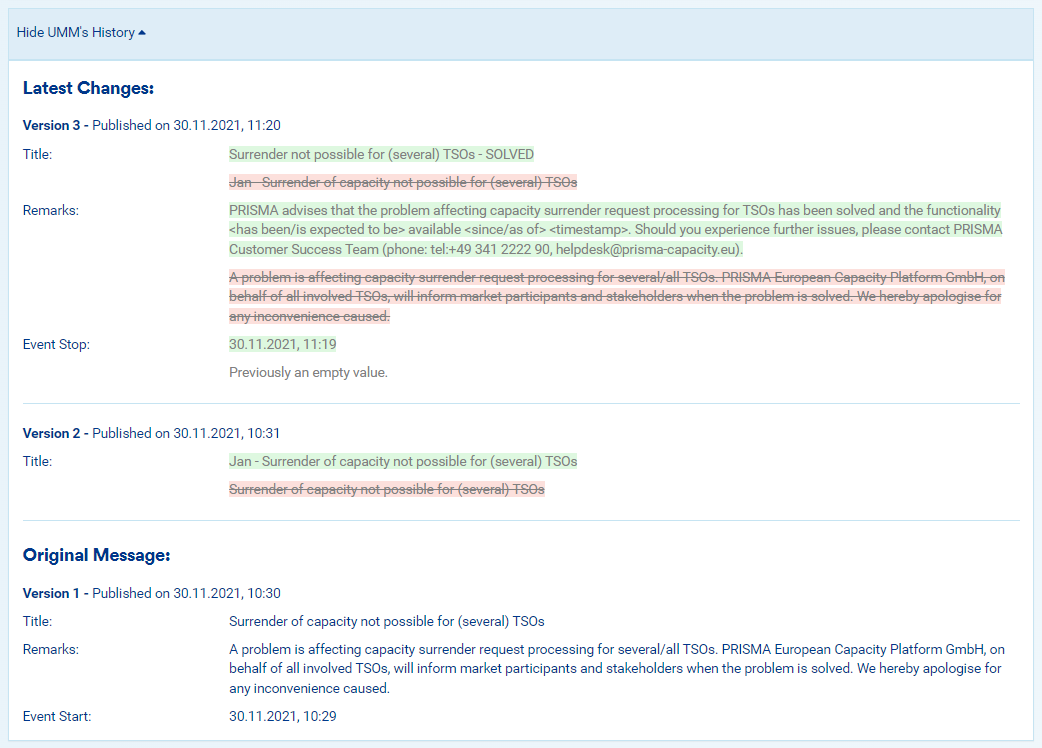
When you click Read More, you are taken to a dedicated page for that message, where you can see additional market details about the announcement or the incident itself.
If the original message has since been updated, the detail page also shows a modification history, so you can follow exactly how the announcement evolved over time.
Why It Matters
- For shippers: the timeline gives you a single place to monitor any urgent communications from PRISMA or from operators, so you do not have to check multiple channels to stay informed.
- For operators: UMMs published on PRISMA are visible to the whole market simultaneously, supporting compliance with ACER's transparency requirements.
- Looking ahead: with the upcoming switch from UMM to Maintenance Messages in June 2026, submission-window re-openings will be communicated through the new MM channel rather than this timeline so make sure to update your subscriptions accordingly.
In Short
The PRISMA UMM timeline lets you view Urgent Market Messages from PRISMA or operators in one place, in line with ACER Regulation. Open it from the UMM entry in the top blue menu, use the filter to narrow down what you see, and click Read More on any message for the full detail view, including a modification history if the message has been updated. From June 2026 onwards, re-openings of the submission window will no longer be published as UMMs, they will move to the new Maintenance Messages (MM) channel, please update your subscriptions accordingly.