
Overview
To trade on the platform, you need at least one assignment to an operator - TSO, SSO or LSO. After you are registered on the platform, the shipper admin must select one or more Operators from which you should be allowed to buy capacity.
Note: The approval of assignments is not automatic, but depends rather on the requirements of each TSO, SSO and LSO. Check the requirements needed for registration by each Operator on our Market Participants page .
Instructions
To view your assignments, do as follows:
1. Log in;
2. Go to "Operators" on the top menu.
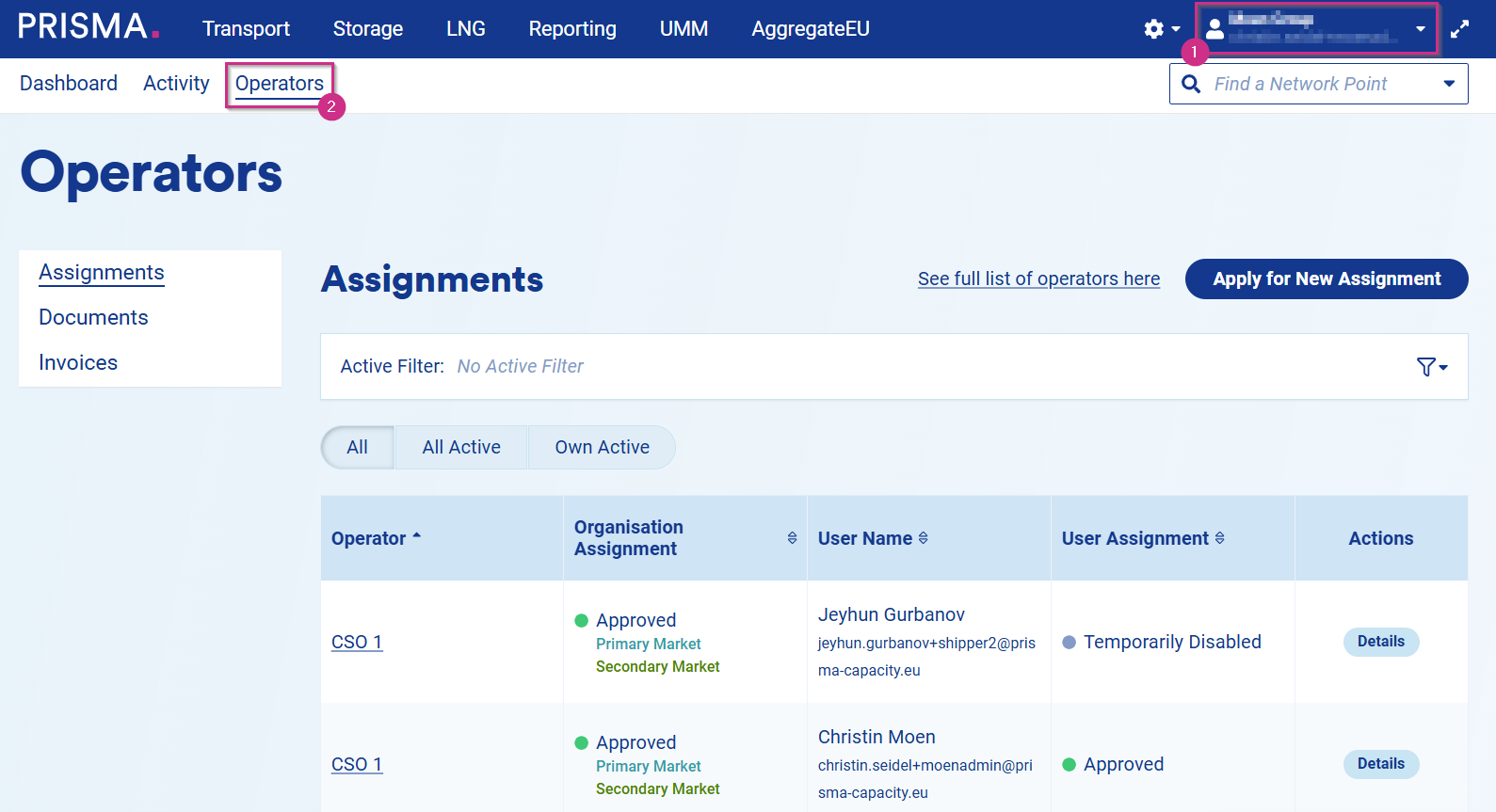
Here, you will find an overview of all your current assignments and their current statuses: (1) "Waiting for Approval," (2) "Approved," (3) "Temporarily Disabled" and (4) "Cancelled."
1. The status in the column "Organisation Assignment" refers to the assignment status of your Organisation with the Operator.
2. The status in the column "User Assignment" refers instead to your user assignment status with such Operator.

3. By clicking on "Details" in the Operator row, you can see additional information such as:
- The Operator's Contact Details, Assignment Status, the Cancel button for both, Organisation and User Assignment, as well as required documents for registration with them;
- Credit Limits (if any);
- Balancing Groups and Portfolio Codes assigned to your company (if any).