Overview
PRISMA offers a Contract Management Service to transmission system operators. Should an operator with which you have an assignment subscribe to this service, you will be to view and download your contracts (frame contracts, DECT etc.) directly on the platform.
Instructions
To find and download your contracts with an operator, do as follows:
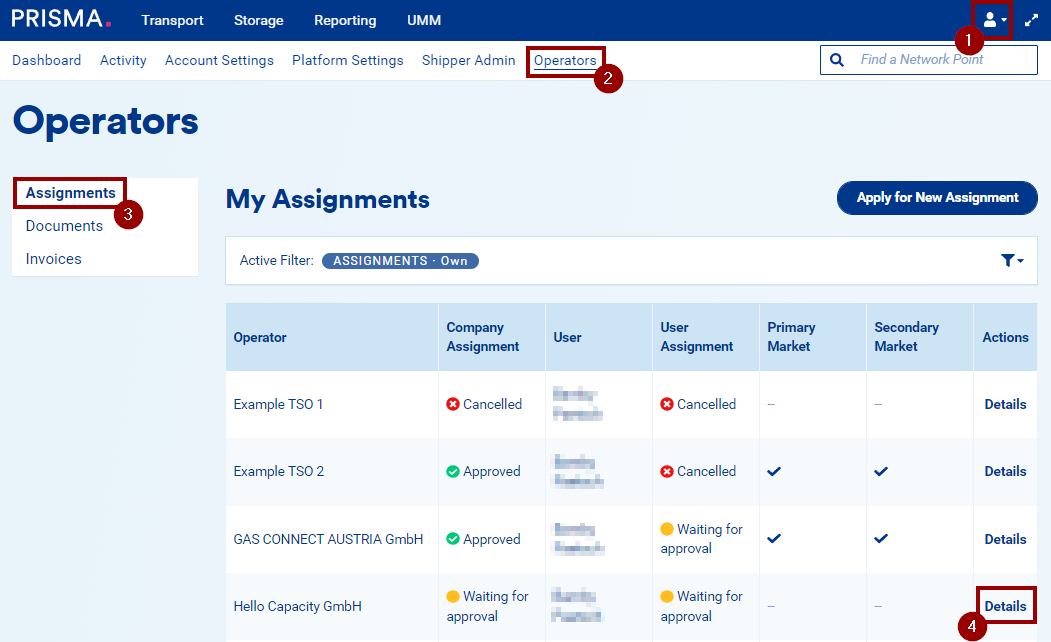
1. Log into your user account;
2. Click on "Operators" in the top blue menu;
3. Go to "Assignments" in the left-side menu.
4. On the row of the relevant operator, click on "Details" in the Action column:
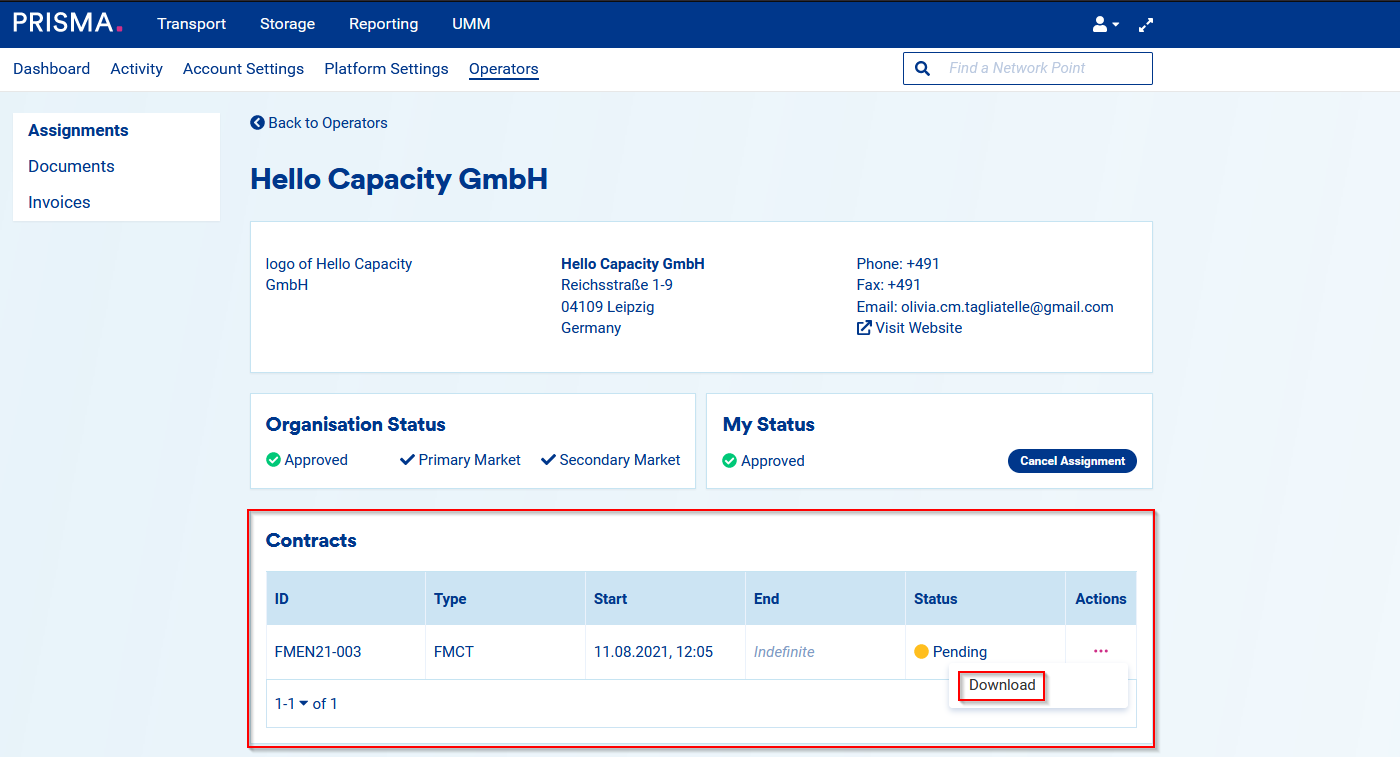
On the operator details page, you will find the "Contracts" tile. There, you can see a list of all your contracts with that specific operator as well as their type, status and validity period.
To download a pending frame contract, click the "..." button in the "Actions" column and select "Download" from the pop-up menu.
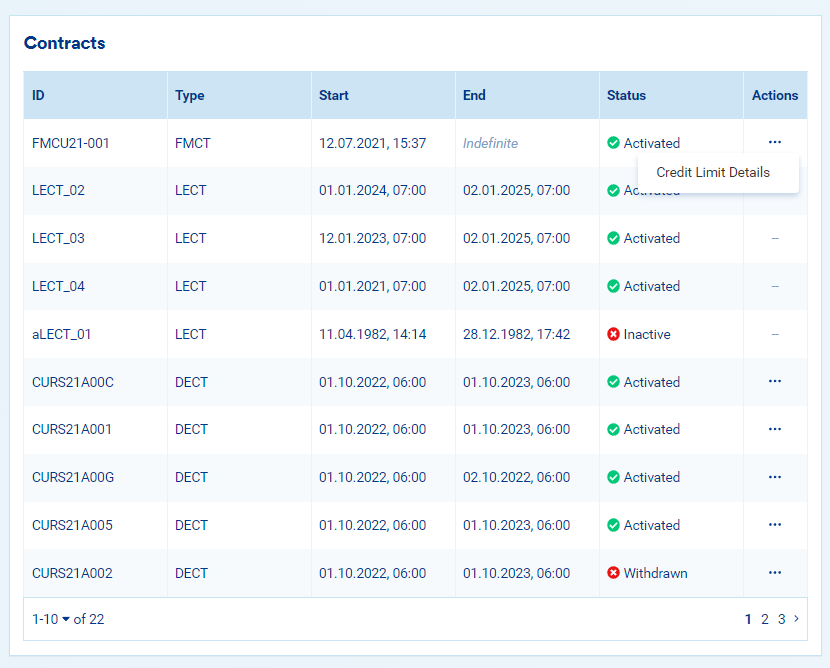
If the contract is already approved, click the "..." button and select "Credit Limit Details" to view the associated credit limit.