Overview
If one of the operators to which you have an assignment subscribes to Contract Management, you will be required to submit financial securities for your contracts. Once your financial security is approved by the operator, you will be able to allocate that amount toward a specific contract credit limit.
Instructions
To submit a financial security, do as follows:
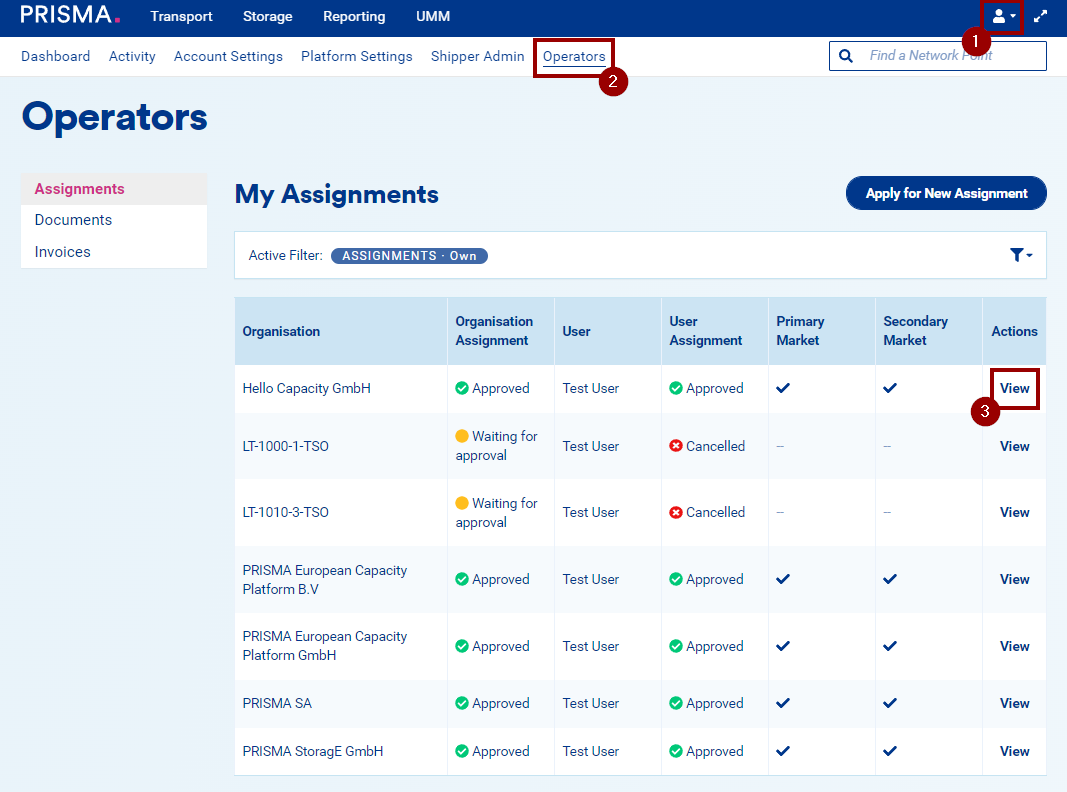
1. Log into the PRISMA platform.
2. Select "Operators" from the menu. You will see an overview of all operators you have an assignment with.
3. Click on "View" in the row of the relevant TSO.
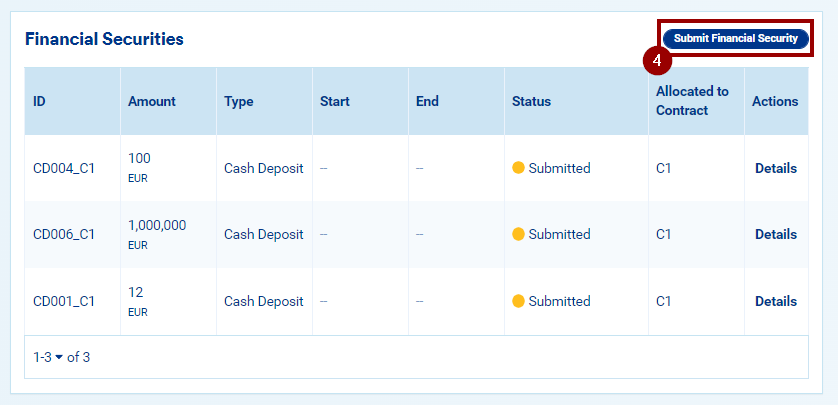
4. Scroll down to the table "Financial Securities" and click on the button "Submit Financial Security":
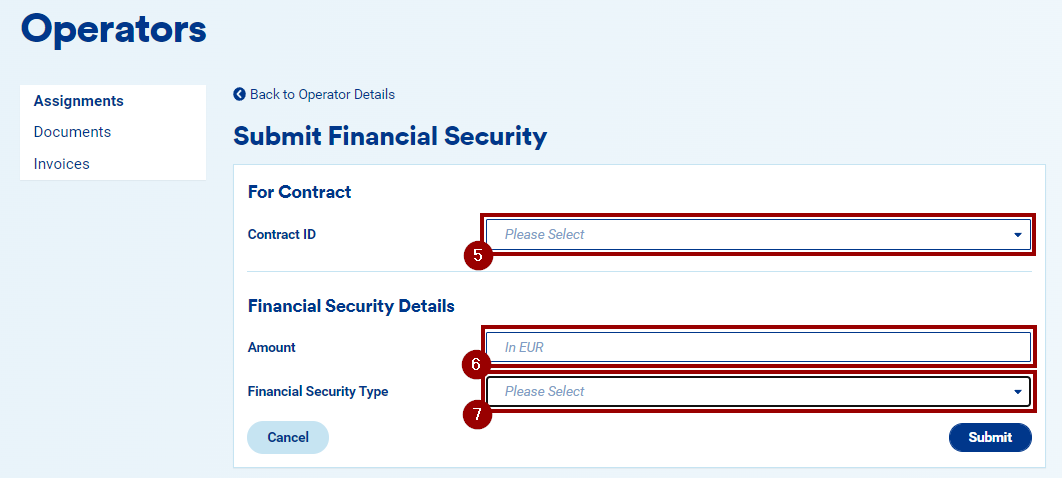
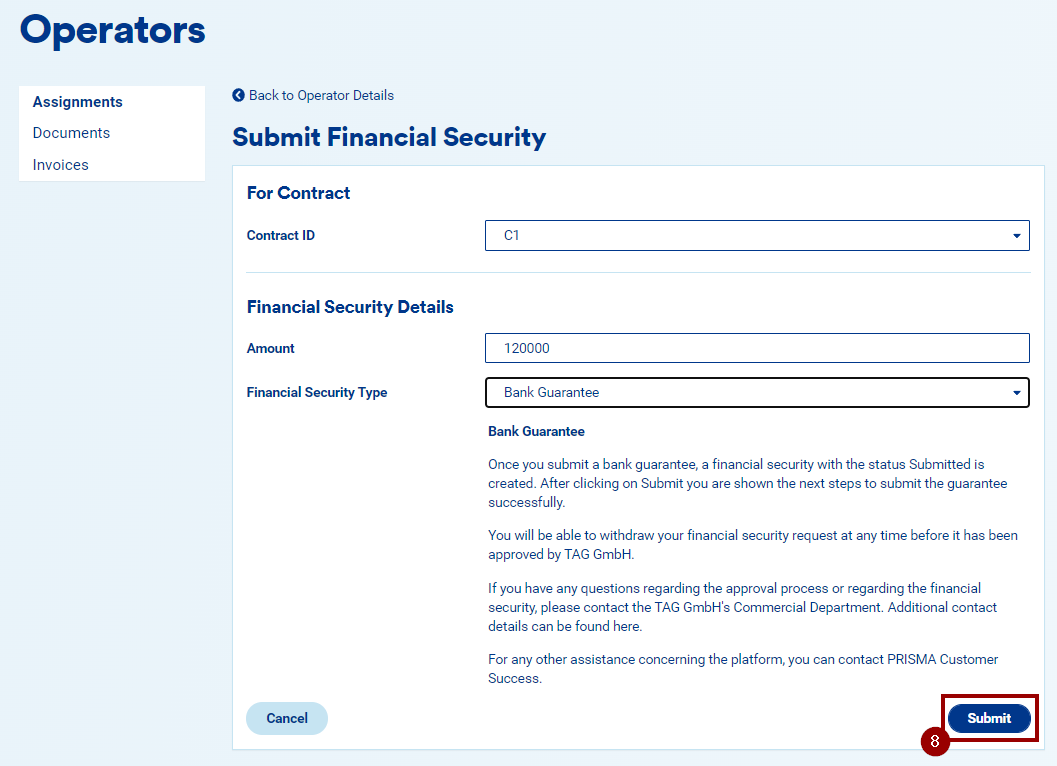
Here, you are asked to provide:
5. the ID of the contract for which you are submitting the financial security;
6. the amount of your financial security;
7. the type of financial security: namely, cash deposit, rating, bank guarantee and parent company guarantee.
Note: for legacy and derived contracts, you will not be able to submit parent company guarantees.
Note: If you select the type "Rating", you will be asked to enter the name of the rating agency and its credit rating.
8. Once you have inserted these details, click on "Submit" to submit the financial security.
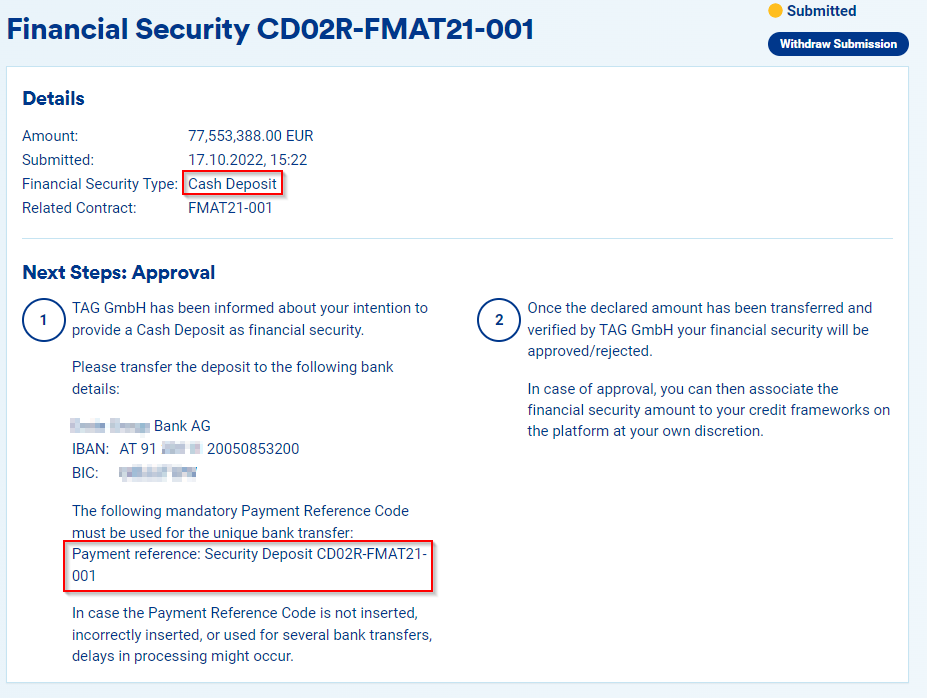
9. Your financial security is now in status "Submitted" and will need to be approved by the operator.
If the operator rejects your financial security, you will be notified and may need to resubmit with corrected details or a different security type. Contact the operator directly for guidance on the reason for rejection.
Make sure you download the documents, if any, that the operator requires for approval and send them to them.
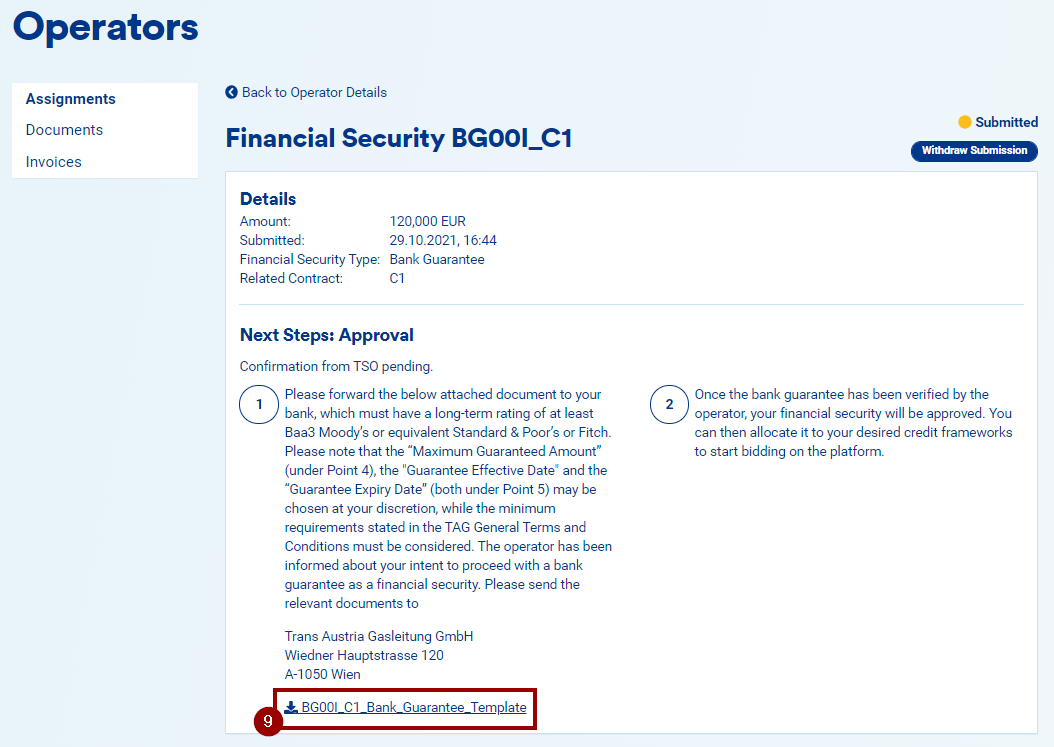
As long as the financial security is in status "Submitted", you can always withdraw it.
Note: A payment reference code is generated automatically when you submit a cash deposit. You must use this code when executing the bank transfer to avoid delays. If more than one bank transfer is required, submit an additional cash deposit for each transfer and use the corresponding payment reference code.