
Overview
From 2022, PRISMA will offer a Contract Management Service to the transmission operators. If a TSO to which you have an assignment subscribes to this functionality, you will be able to request a frame contract with it directly on the platform.
Instructions
To request a frame contract, do as follows:
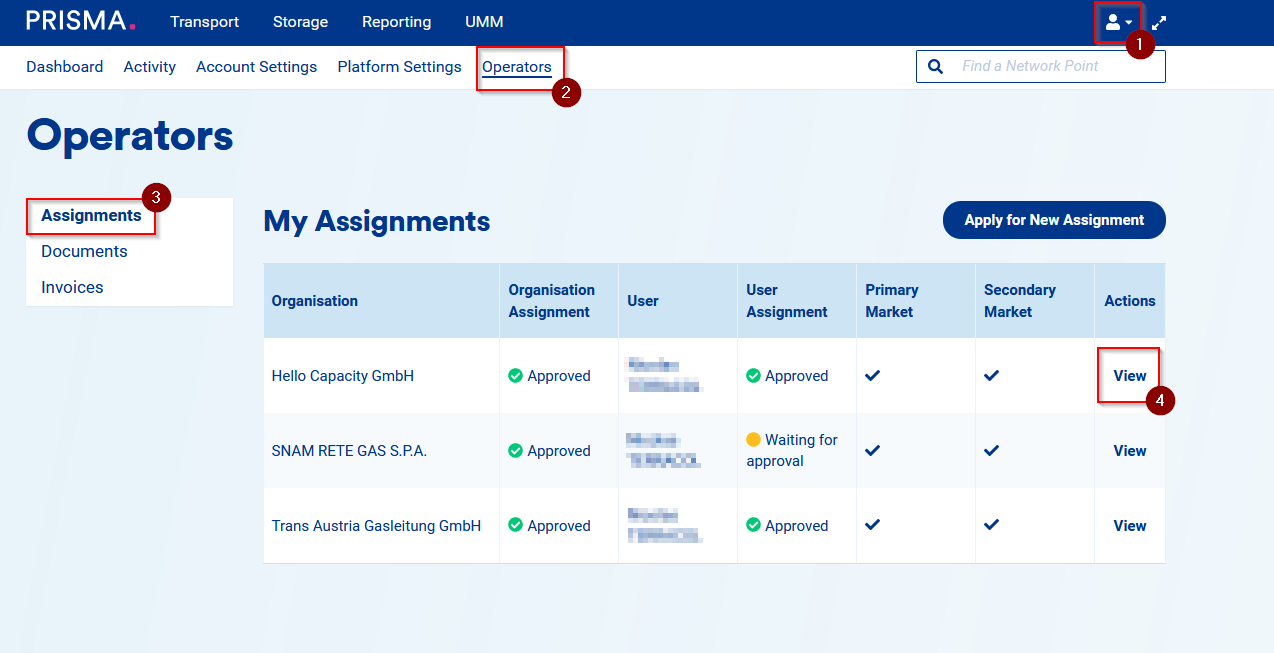
1. Log into your user account;
2. Click on "Operators" on the top menu;
3. Click on "Assignments" on the left side menu;
4. On the row of the relevant TSO, click on "View" in the "Actions" column;
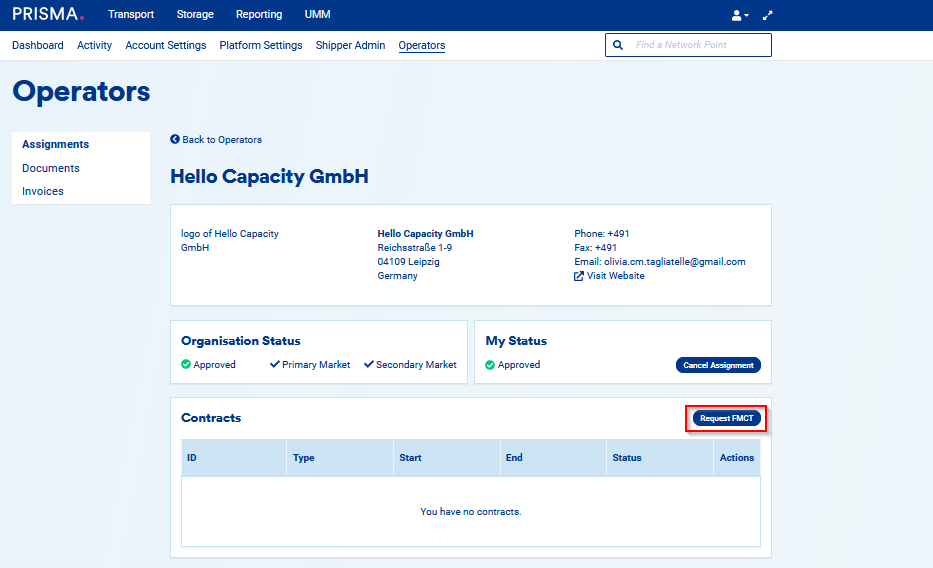
5. Then, on the operator's details page, click on "Request FMCT".
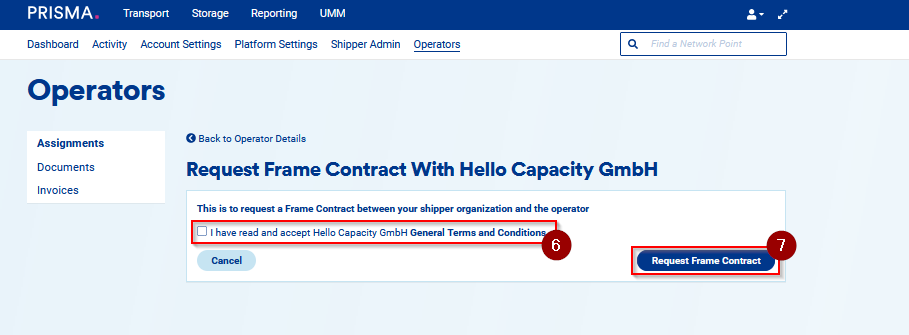
6. Then, read the GTCs of the operator and tick the box to indicate you accept them.
7. Finally, click on "Request Frame Contract".
8. Once the request for the frame contract has been accepted or rejected by the operator, the user requesting the frame contract as well as all shipper admins of the company will be notified via email.