
Overview
A surrender is when you return booked capacity to the Transmission System Operator (TSO), so the TSO can remarket it in the primary market. You can only surrender firm unbundled primary or secondary capacity bookings. PRISMA remarkets the returned capacity as a yearly, quarterly, monthly, or daily product.
Firm here includes every category of firm capacity quality (Firm, FZK, BZK, DZK, and others).
Start the Surrender Request
- Log into your account.
- Click Reporting.
- Click My Transactions.
- Select the three dots next to the booking you want to surrender, then click Create surrender request.
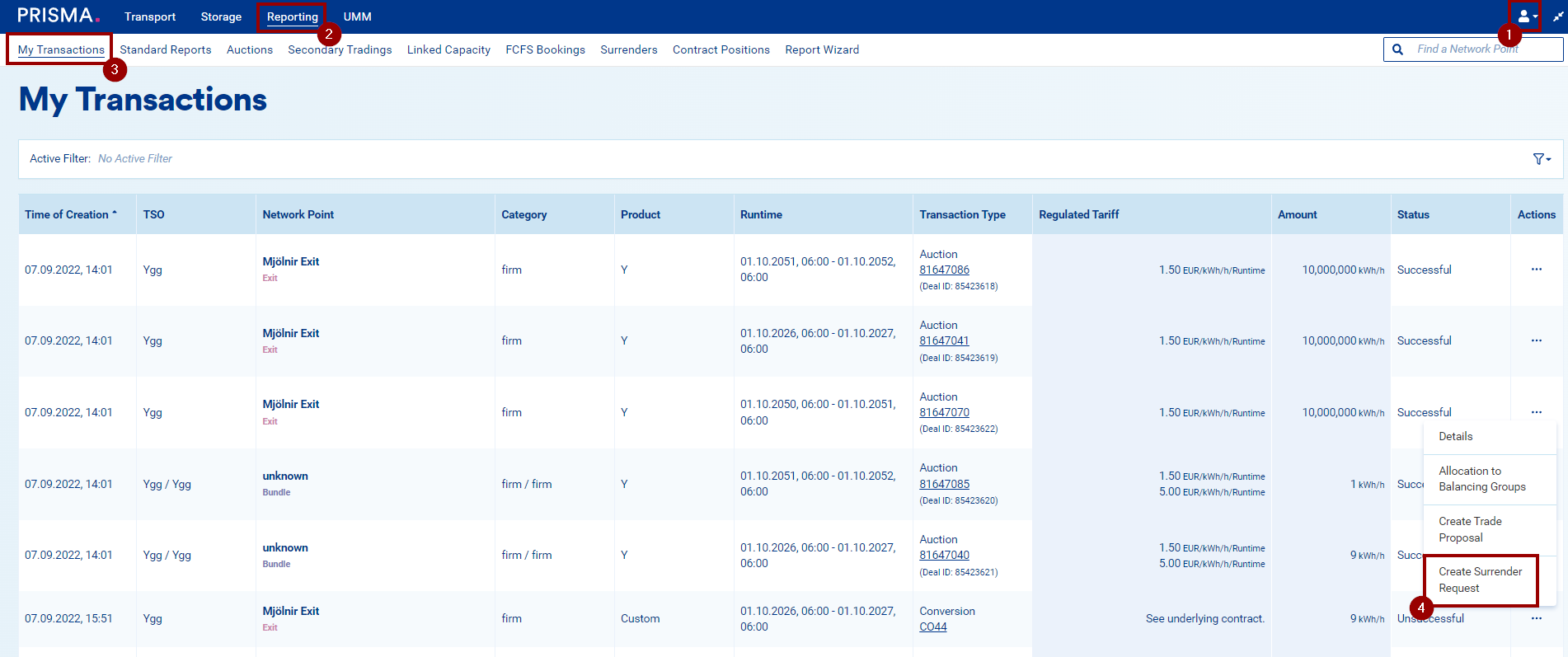 The transaction row menu with Create surrender request selected.
The Create surrender request page opens, showing the Transaction tile with the details of the selected deal or trade.
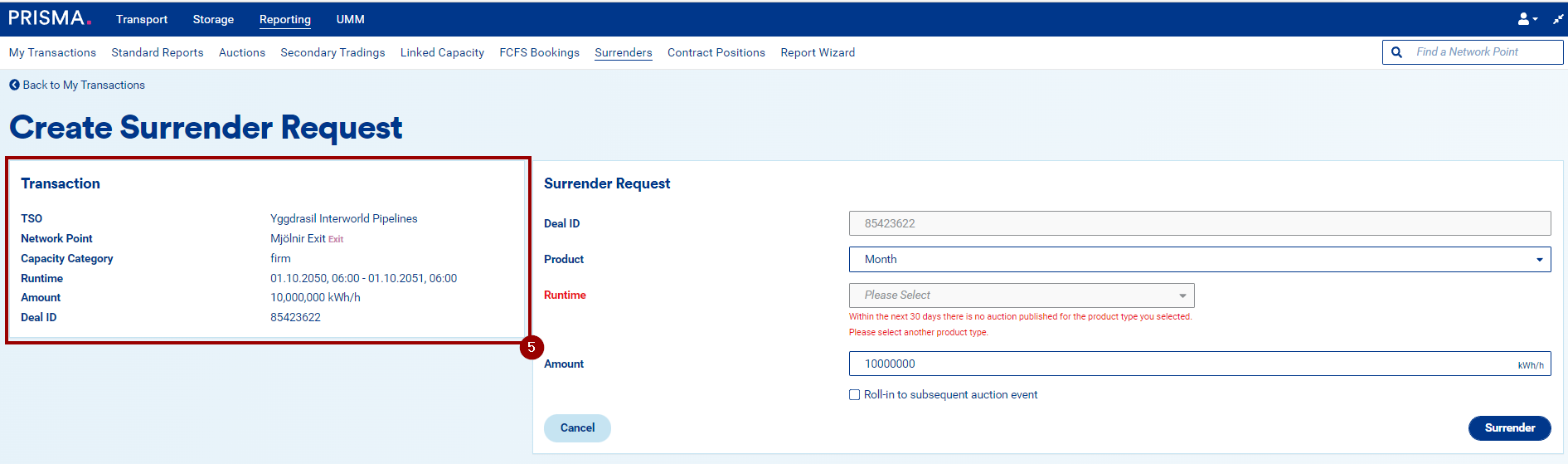 The Transaction tile, showing the details of the selected deal or trade.
Fill in the Surrender Request Details
The Surrender request tile includes the following fields:
- Deal ID: pre-filled with the transaction's Deal or Trade ID. You cannot edit this field.
- Product: a dropdown listing the available product types (yearly, quarterly, monthly, daily). Only product types with a runtime less than or equal to the transaction's runtime appear here. For example, a yearly transaction shows every product type, while a monthly transaction shows only monthly and daily.
- Runtime: a mandatory dropdown showing the runtimes available for the selected product type, limited to auctions PRISMA has published in the next 30 calendar days.
The 30-day count starts at midnight the next calendar day and ends at midnight on the 31st day, with that last day fully included. For example, if you start a surrender request today at 07:30, the 30-day window runs from midnight tomorrow to midnight 31 days from today.
If PRISMA hasn't published an auction of the selected product type within that window, you'll see the message: "Within the next 30 days there is no auction published for the product type you selected. Please select another product type."
- Amount: a mandatory field. The value you enter must be less than or equal to the transaction amount. If you enter more, PRISMA highlights the field and shows the error "Please enter an amount equal or lower to [TransactionAmount] kWh/h."
- Roll-in to subsequent auction event: unchecked by default. You can check this box for any surrender request with a runtime longer than 1 day; if the runtime equals 1 day, you cannot select this option.
You don't need to specify a balancing group allocation when surrendering capacity.
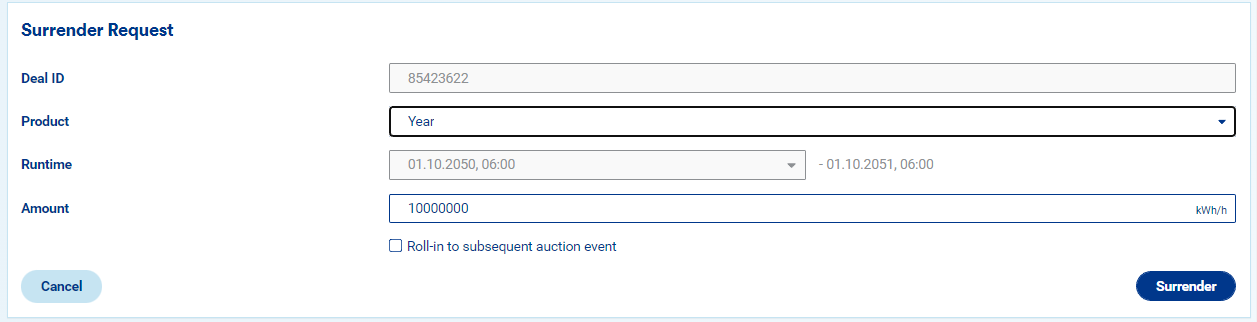 The Surrender request tile, including the Roll-in to subsequent auction event checkbox.
- Click Surrender to start the request.
You can submit a surrender request until its submission window closes.
| Runtime | Submission deadline |
|---|---|
| 1 year | 2 working days before the auction's publication day, by 11:00 AM |
| 1 quarter | 2 working days before the auction's publication day, by 11:00 AM |
| 1 month | 2 working days before the auction's publication day, by 11:00 AM |
| 1 day | By 1:00 PM on the auction's publication day |
After You Submit
Once you submit the request, it stays in Pending status until the surrender window closes. A surrender request shown with Pending status in My Transactions.
You can cancel a surrender request any time before the window closes.
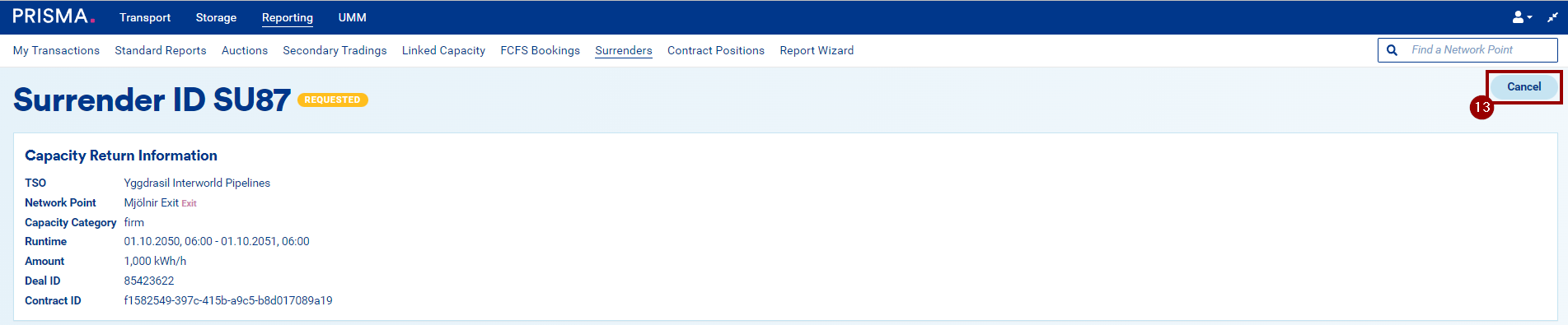 The option to cancel a pending surrender request.
In the My Transactions overview, a surrender request shows one of these statuses:
| Status | Meaning |
|---|---|
| Pending | You requested the surrender. |
| Unsuccessful | You cancelled the request, or PRISMA could not remarket the capacity. |
| Successful | PRISMA remarketed the capacity. |
In the surrender request's own details, you'll see a more granular status instead:
| Status | Meaning |
|---|---|
| Requested | You requested the surrender, and the window is still open. |
| Processing | The submission window has closed. |
| Successful | PRISMA fully remarketed the surrendered capacity. |
| Partially successful | PRISMA remarketed part of the surrendered capacity. |
| Unsuccessful | The capacity did not sell in an auction. |
| Cancelled | You cancelled the request. |