Overview
On PRISMA, you can select any number of favorite network points to make it easy to find auctions, trade offers and FCFS options. These network points will appear on your dashboard once you log in.
Instructions
To add new network points, do as follows:
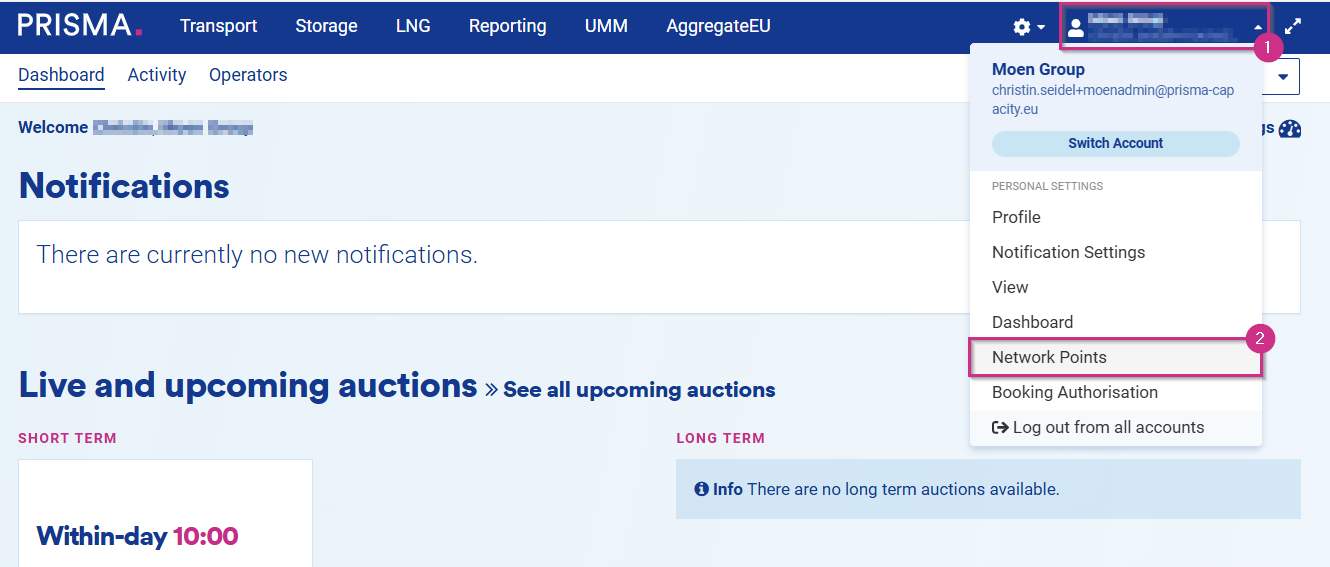
1. After logging in, click on the person symbol on the top menu - here you find your Personal Settings;
2. Then, click on "Network points";
3. Finally, click on "Add New Favorite" on the right side of the Network Points page.
On the following page:
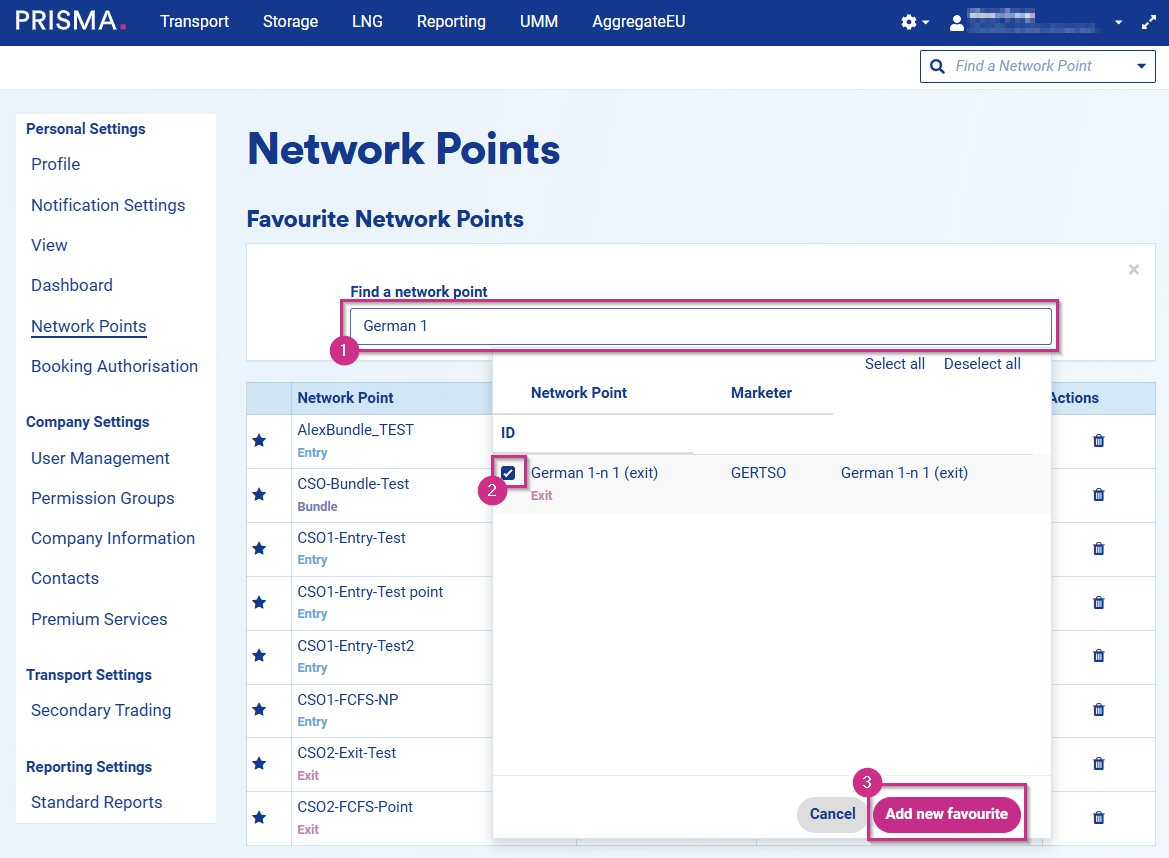
1. Search for the desired network point in the field;
2. Select it by ticking the box on the pop-down menu;
3. Click on "Add New Favorite";
For deletion of a network point:
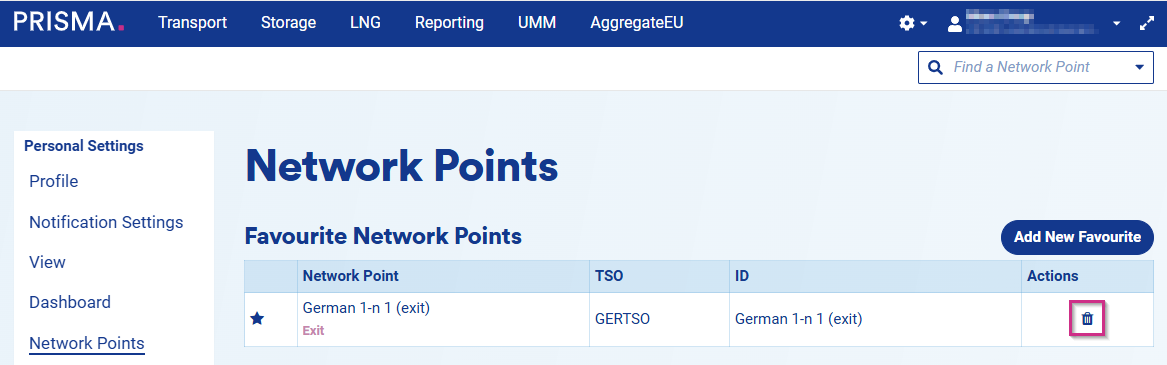
Remember that you can always delete a favorite network point from your favorite list by clicking on the bin symbol.