
User information
1. After logging in to the PRISMA platform, you can update your user details in the Account settings' section.
2. In this section, select the User details sub-menu to update your user information. Note that your username, email address, and first/last name cannot be changed here — see the note below for details.
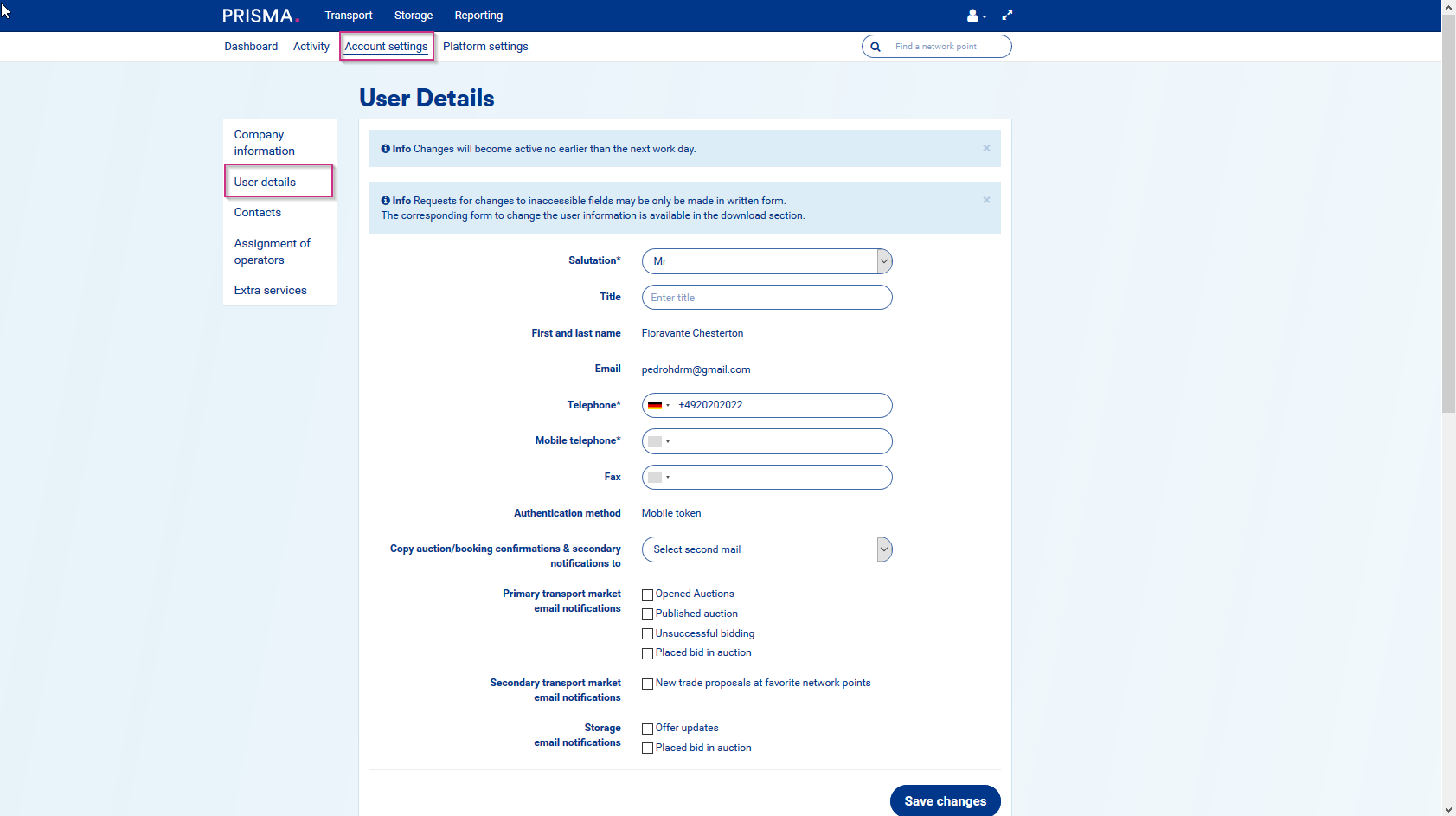
A shipper administrator can also make these changes from their User Overview page. For more details, see Shipper admin' >> 'User overview'.
Your username, email address, and first/last name can only be changed through the PRISMA Customer Success Team by submitting a written form.