Overview
If your company subscribes to our REMIT Report Premium Service, you can view and download those reports in our Reporting section.
Instructions
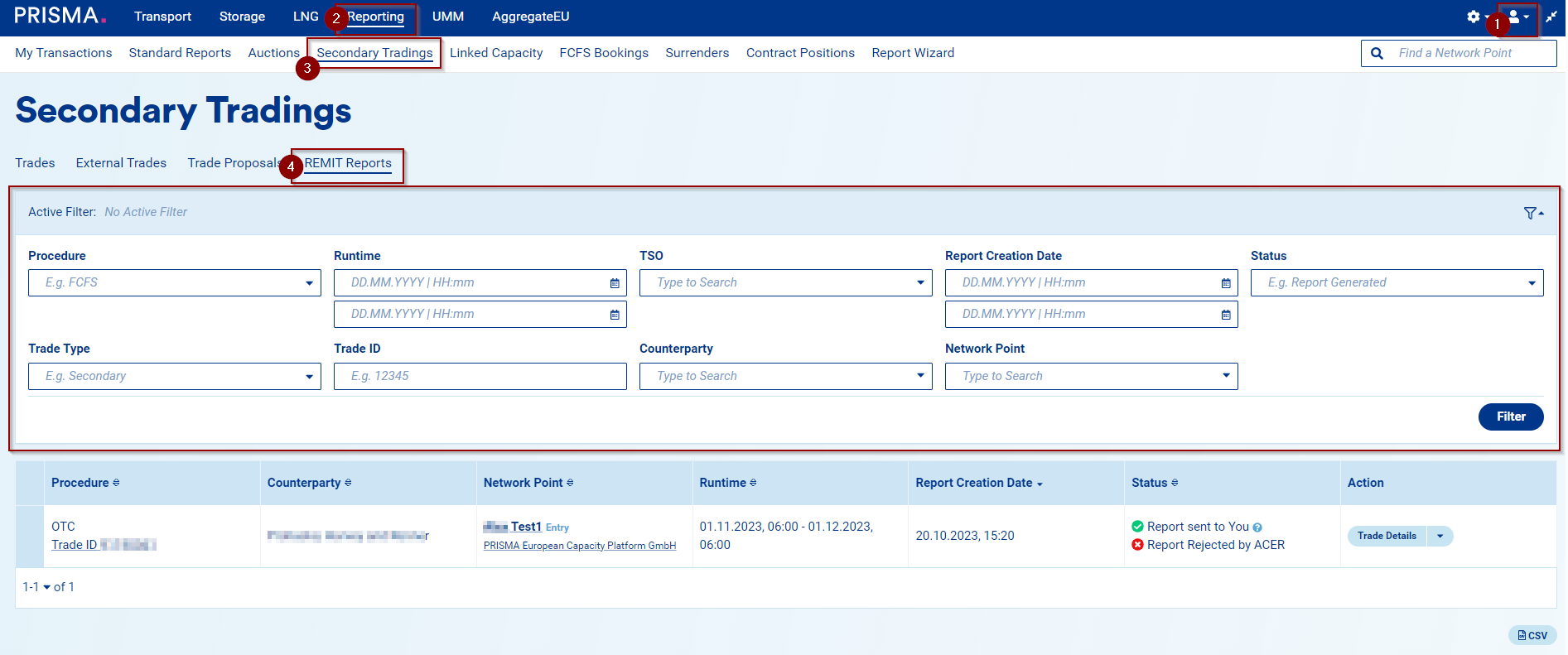
1. Log into your PRISMA account;
2. Go to the Reporting section;
3. Then, click on Secondary Tradings;
4. Under the REMIT Reports section, you will find an overview of your REMIT reports (accepted and rejected) and the possibility to use several filters:
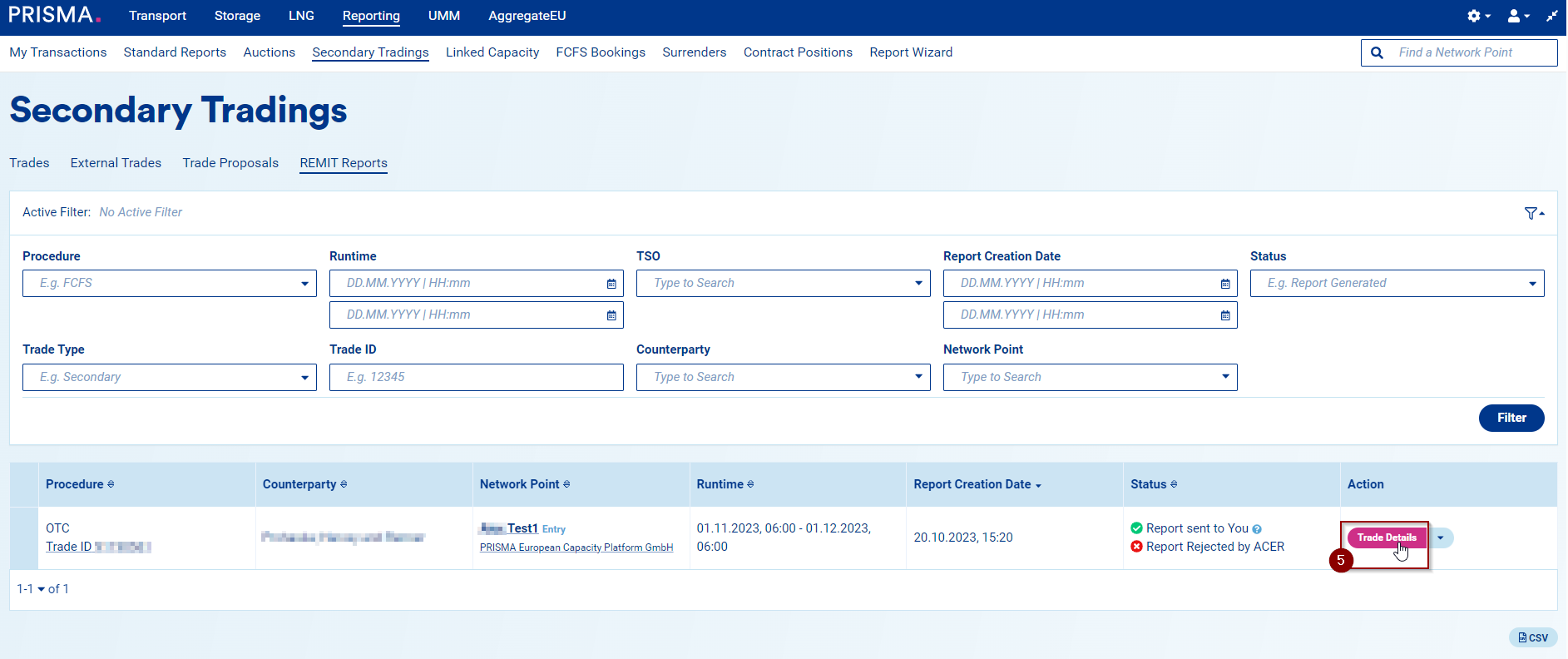
5. Click on Trade Details to view further information:
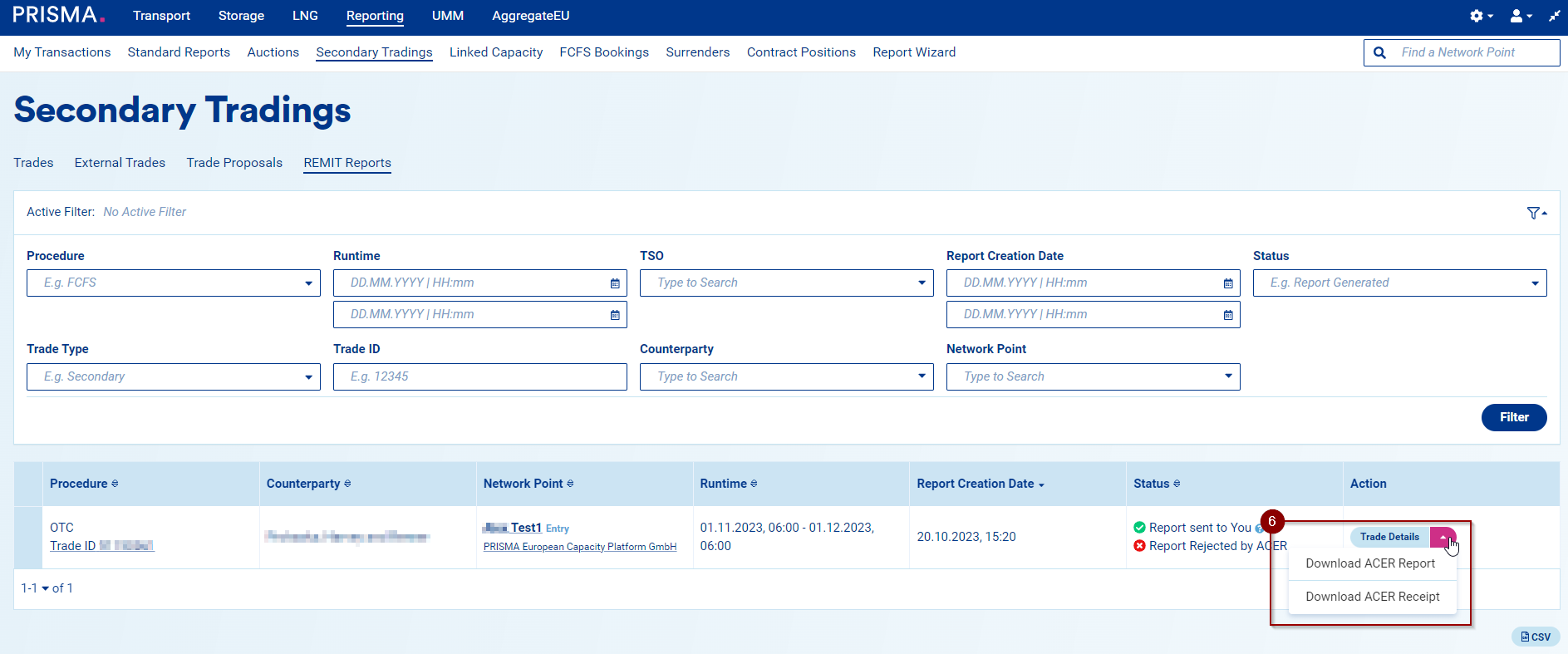
6. Finally, by clicking on the arrow, you can Download the ACER Report or the ACER Receipt: