
Overview
If your company has subscribed to our REMIT Report Premium Service, you can check your subscription details and REMIT reporting channels on PRISMA.
Instructions
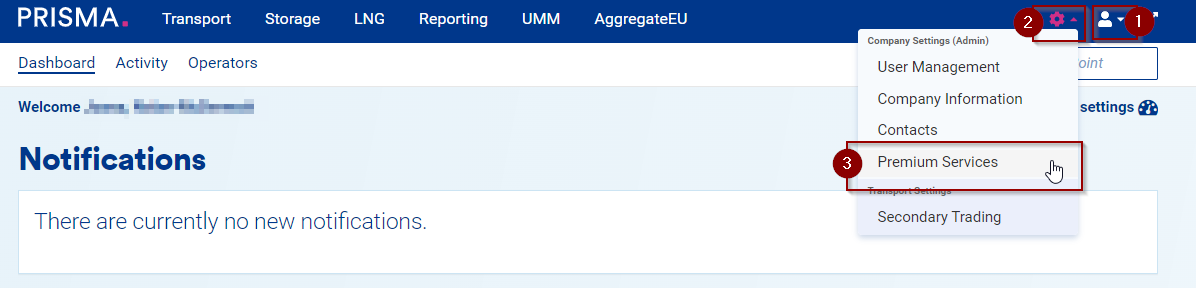
Follow these steps to reach your REMIT reporting channel configuration:
- Log into your PRISMA account.
- Click on the Settings.
- Select Premium Services.
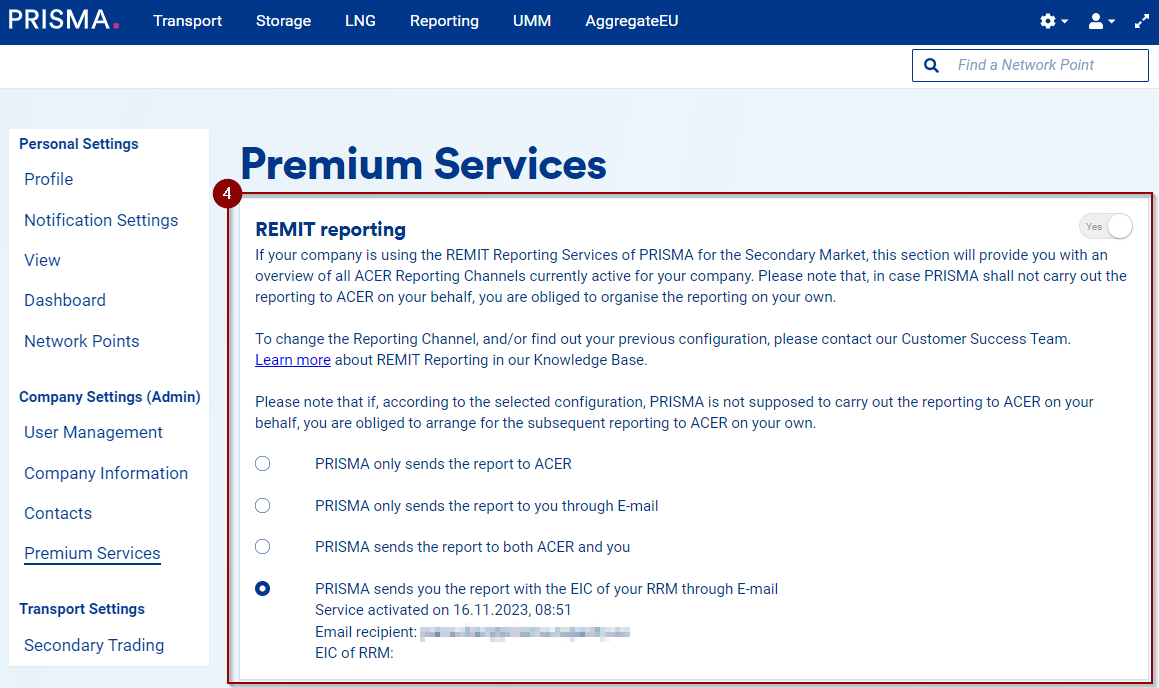
- On the Premium Services overview page, view your REMIT Reporting channel(s) configuration.
2. Click on the Gear icon;
3. Select Premium Services:
4. You will find the Premium Services overview page on which you can see your REMIT Reporting channel(s) configuration: